
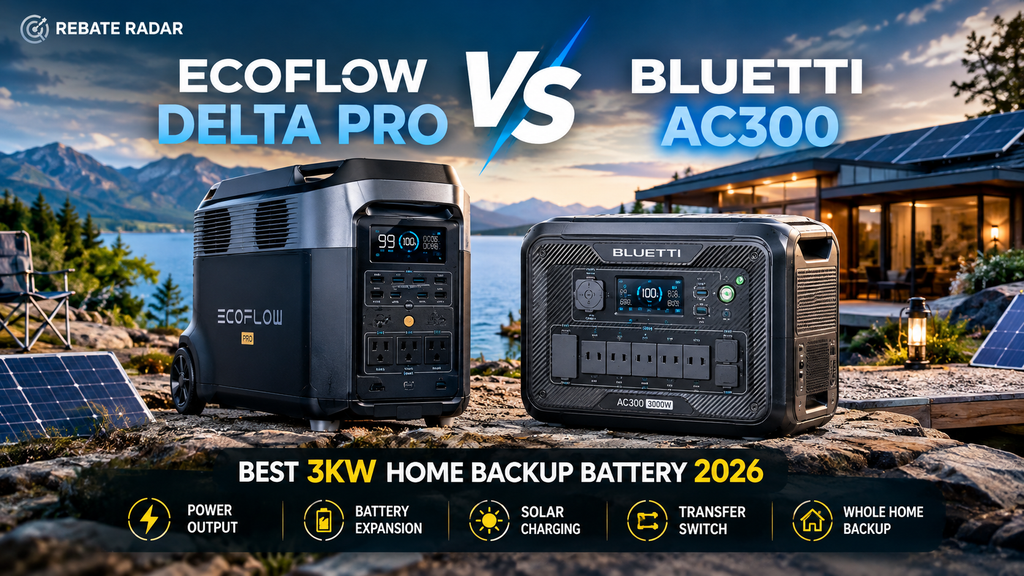
EcoFlow DELTA Pro vs. BLUETTI AC300: Best Whole-Home Backup in 2026?
Two serious LiFePO₄ power systems, two very different designs. Compare the original EcoFlow DELTA Pro with the modular BLUETTI AC300 + B300, including 3,600W vs. 3,000W output, solar charging, battery expansion, transfer-switch integration, realistic runtime, and total system cost.
- The short answer
- Specifications side by side
- All-in-one vs. modular design
- Capacity and realistic runtime
- Solar input and recharge planning
- Transfer switches and home circuits
- Battery expansion and long-term flexibility
- Total cost of ownership
- Safety, installation, and limitations
- Which should you buy?
- Alternatives worth considering
- Frequently asked questions
Quick shopping links: compare the exact model before checkout
These are the three external shopping links supplied for this article: one EcoFlow Amazon listing, one BLUETTI Amazon listing, and one BLUETTI website affiliate link. Check the exact model, included battery, accessories, shipping region, warranty, and return terms before ordering.
EcoFlow DELTA Pro Ultra + extra battery
This supplied Amazon listing is for the DELTA Pro Ultra with an extra battery, not the original DELTA Pro compared in the main article. Treat it as a separate, newer product and verify the exact bundle before purchase.
View EcoFlow on AmazonBLUETTI Elite 300
This is the BLUETTI Amazon listing supplied for the article. The Elite 300 is a different model from the AC300 + B300 system discussed in this comparison, so compare specifications and included accessories carefully.
View BLUETTI on AmazonBLUETTI Apex 300 / official site offer
Use the supplied BLUETTI website affiliate link to check the current Apex 300 offer. The Apex 300 is not the same product as the AC300 + B300 system; verify the exact model, compatible expansion batteries, accessories, and current offer on the destination page.
View BLUETTI website offerAffiliate disclosure: Rebate Radar may earn a commission from purchases made through these supplied links, at no additional cost to the reader. Product availability, destination pages, and bundles can change.
1. EcoFlow DELTA Pro vs. BLUETTI AC300: the short answer
Choosing a large portable power station is not simply a contest to see which brand prints the biggest wattage on its box. For home backup, five questions matter more: how much energy is stored, how much power the inverter can deliver at once, how quickly the battery can recharge, how the system connects to household circuits, and what the complete setup costs after accessories and installation.
The original EcoFlow DELTA Pro combines a 3,600Wh battery and a 3,600W AC inverter in one wheeled unit. BLUETTI’s AC300 takes a different approach: it is an inverter-and-charging module that works with external B-series batteries, including the B300 configuration discussed in many older bundles. A common AC300 + one B300 setup provides 3,072Wh of nominal storage and 3,000W of AC output. That difference affects purchase planning, portability, expansion, and how you calculate value.
EcoFlow DELTA Pro
Best fit for buyers who prefer an integrated power station, a higher continuous AC output rating, and a straightforward starting configuration.
Explore EcoFlow home backupThe linked listing is for the DELTA Pro Ultra with extra battery, not the original DELTA Pro. Check the exact model and bundle carefully.
BLUETTI AC300 + B300
Best fit for buyers who value a separate inverter and battery modules, and want a higher maximum solar-input rating on the AC300 system.
Explore BLUETTI AC300 + B300Availability and battery bundles vary. Confirm whether the listing includes a B300 or a newer compatible battery.
Important model note: This article compares the original DELTA Pro—not the DELTA Pro 3 or DELTA Pro Ultra—with the AC300 inverter paired with a B300 battery. These product names are easy to mix up, but their capacities, outputs, expansion systems, and accessories are not interchangeable. If you are shopping for a new 2026 installation, compare current models and available support alongside these legacy-platform specifications.
2. Specifications side by side
The table summarizes commonly published US-version specifications for the original DELTA Pro and the AC300 + one B300. Treat capacity as nominal battery energy; the energy delivered to appliances will be lower because inverter conversion and operating conditions introduce losses.
| Specification | EcoFlow DELTA Pro (original) | BLUETTI AC300 + 1× B300 |
|---|---|---|
| System design | All-in-one power station | Separate inverter module and battery |
| Nominal battery capacity | 3,600Wh | 3,072Wh |
| Continuous AC output | 3,600W | 3,000W total |
| Surge rating | Up to 7,200W | Up to 6,000W |
| Battery chemistry | LiFePO₄ / LFP | LiFePO₄ / LFP (battery module) |
| Maximum solar input | Up to 1,600W | Up to 2,400W |
| Expandable capacity | 3.6kWh base; supported configurations can expand beyond the base unit | 3.072kWh with one B300; up to 12.288kWh with four B300 modules in the published configuration |
| 240V capability | Requires supported multi-unit / home-integration accessories and configuration | Supported with two AC300 units and the required Fusion Box Pro configuration |
| Home-circuit integration | Supported with compatible EcoFlow transfer-switch / Smart Home Panel equipment | Supported with compatible BLUETTI home-integration equipment |
| Portability | About 45kg / 99lb; wheels and handle | Separate components; each module is easier to position separately, but the assembled system is still heavy |
| Best strength | Higher inverter output and integrated setup | Higher solar-input ceiling and modular battery layout |
Manufacturer figures are not identical to real-world performance. AC output ratings do not mean every appliance can be run simultaneously; startup surges, ambient temperature, battery state, and the unit’s protection logic matter. Solar input ratings are also ceilings, not promises of constant charging power. Panel orientation, shade, temperature, wiring, and sunlight conditions determine actual production.
Official references: EcoFlow DELTA Pro product specifications and BLUETTI AC300 + B300 specifications.
3. The biggest difference: all-in-one vs. modular design
EcoFlow DELTA Pro: one main unit to move and manage
The DELTA Pro packages its battery, inverter, charging hardware, display, and outlets into a single wheeled enclosure. That can make it easier to deploy as a portable backup source: charge the station, wheel it to a suitable location, connect approved loads, and monitor energy use. The 45kg weight is substantial, but wheels help on flat surfaces.
The integrated approach is attractive when you want to use the station in more than one place—for example, as emergency backup at home, a power source for a workshop, or a system for an RV or outdoor project. It also reduces the number of major modules you need to position. However, it does not remove the need to plan cable routing, ventilation, weather protection, and safe home integration.
BLUETTI AC300: the inverter and battery are separate
The AC300 is a modular platform. Its inverter module is separate from the battery, which means the AC300 cannot provide stored-energy backup by itself. You need at least one compatible battery module, such as a B300 in the configuration compared here. This is an essential point when comparing advertised prices: an AC300-only listing is not equivalent to a complete 3kWh power station.
The modular layout can be useful in a semi-permanent home or off-grid setup because the inverter and battery modules can be positioned according to the manufacturer’s instructions. It also gives buyers a clear way to increase stored capacity by adding supported batteries. The trade-off is more pieces, more connections, and more configuration details to verify before ordering.
4. Capacity and runtime: what can 3–4kWh actually power?
Watt-hours (Wh) measure stored energy. Watts (W) measure the rate at which power is delivered. A high-wattage inverter may run several appliances at once, but a larger battery determines how long those appliances can operate before recharging is needed.
A useful first estimate is:
Estimated runtime (hours) = battery capacity (Wh) × usable fraction ÷ average load (W)
For a simple planning example, use 85% as an illustrative usable fraction. It is not a manufacturer guarantee and can vary with load, temperature, inverter losses, battery condition, and reserve settings.
Using that illustrative 85% factor gives roughly 3,060Wh available from the 3,600Wh DELTA Pro and 2,611Wh from the 3,072Wh AC300 + B300. The estimates below are arithmetic examples, not measured runtimes.
| Example load | Average draw used | DELTA Pro estimate | AC300 + B300 estimate |
|---|---|---|---|
| Router, modem, LED lights | 60W | About 51 hours | About 43 hours |
| Refrigerator average draw | 100W average | About 30.6 hours | About 26.1 hours |
| Fridge + router + lights | 180W average | About 17 hours | About 14.5 hours |
| Home office essentials | 250W average | About 12.2 hours | About 10.4 hours |
| High-demand combined load | 1,000W average | About 3.1 hours | About 2.6 hours |
Real refrigerators cycle on and off, so their average draw can be far below the compressor’s running wattage—but startup surges can be much higher. A well-insulated refrigerator in a cool room may use less energy than an older unit in a hot garage. Likewise, a router may draw only a small amount, while a microwave or kettle can consume a large share of the battery in a short period.
Build a load list before choosing a battery
- Write down each device you need during an outage.
- Find the running wattage on the label or manual; for cycling devices, estimate average energy use if available.
- Estimate hours of use per day rather than assuming everything runs continuously.
- Add the energy needs together in Wh or kWh.
- Check both continuous output and surge requirements for motors and compressors.
- Keep a reserve for unexpected loads and longer-than-planned outages.
For more planning help, use Rebate Radar’s Home Energy Cost Calculator and Appliance Energy Cost Calculator. These tools help estimate energy consumption; your backup system still needs to be sized around the actual devices and circuits you intend to run.
5. Solar input and recharging: BLUETTI has the higher ceiling
On published maximum solar input, the AC300 is rated for up to 2,400W while the original DELTA Pro is rated for up to 1,600W. That is a meaningful advantage for BLUETTI on paper: a sufficiently large, correctly configured solar array can feed more power into the system at peak conditions. But the higher input ceiling is only useful when your panels, voltage/current configuration, sunlight, and battery’s charging acceptance line up.
What the 2,400W vs. 1,600W numbers do—and don’t—mean
They are maximum accepted solar input figures, not a daily energy forecast. A 2,400W array will rarely produce its nameplate power for an entire day. Production changes with season, latitude, cloud cover, panel angle, shade, and temperature. The controller’s permitted voltage range and current limits also matter. A panel arrangement that exceeds the system’s voltage limit can damage equipment and create a serious safety hazard.
For a rough illustration, suppose an array averages an equivalent of four peak-sun-hours and system-level losses reduce the theoretical result to 75%. A 1,600W array would yield approximately 4.8kWh per day (1.6 × 4 × 0.75), while a 2,400W array would yield about 7.2kWh under the same assumptions. This is a planning example, not a promise; actual results may be much lower.
When the BLUETTI solar advantage matters
- You already have or plan to buy a solar array large enough to use more than 1,600W of input.
- You expect frequent daytime charging and can place panels in a relatively unshaded area.
- You are building a more stationary backup or off-grid setup rather than moving the station constantly.
- You have checked every panel’s open-circuit voltage, operating current, series/parallel configuration, and the AC300’s permitted input limits.
When EcoFlow’s lower ceiling may be enough
For a small emergency panel kit, 1,600W can already be substantial. If you mainly need to recharge phones, communications equipment, lighting, a refrigerator, and a few essentials, the limiting factor may be available daylight or your consumption rather than the maximum input rating. The DELTA Pro also supports multiple charging methods, and EcoFlow documents combined charging configurations for the product. Always use the exact instructions for your model and accessory set.
Read our best portable power stations guide and best solar generators guide for a broader look at solar-ready systems. For panel selection, the important comparison is the entire input specification—not just a single wattage headline.
6. Transfer switches and home-circuit integration
Home integration is where marketing terms such as “whole-home backup” can confuse buyers. A power station with several AC outlets can power appliances plugged directly into it. Supplying selected circuits through a transfer switch or compatible home panel is a different use case. Supplying an entire house—including large 240V loads—requires additional planning and equipment, and may require more than one inverter or a purpose-built home backup platform.
EcoFlow DELTA Pro transfer-switch path
EcoFlow documents home-circuit integration for the DELTA Pro through compatible transfer-switch equipment and the Smart Home Panel ecosystem. A transfer switch routes selected circuits to an approved backup source and prevents unsafe interconnection with utility power when correctly installed. The exact supported circuits, output voltage, and installation method depend on the hardware and local electrical code.
The Smart Home Panel is not the same thing as a simple power strip. It is a home electrical integration product and should be installed according to the manufacturer’s instructions by a qualified professional where required. Some configurations can manage multiple circuits; multi-unit or 240V arrangements need the specified hubs or panels. Do not assume one DELTA Pro alone can run every appliance in a typical house simultaneously.
BLUETTI AC300 home integration
BLUETTI documents the AC300 system for home backup using compatible home-integration equipment. The company also describes 240V capability when two AC300 units are paired with the required Fusion Box Pro. That is a different configuration from a single AC300 + one B300 system, and it adds significant cost, space, wiring, and planning considerations.
Before purchasing, ask an electrician or the manufacturer to confirm compatibility with your existing panel, the exact transfer switch or integration kit, the circuits you want backed up, and whether your home uses 120V-only or split-phase 120/240V loads. An electric range, central air conditioner, electric dryer, well pump, and water heater may have very different power needs from a refrigerator, router, and lights.
Official references: EcoFlow Smart Home Panel, EcoFlow DELTA Pro transfer-switch listing, and BLUETTI AC300 + B300 home-backup details.
7. Battery expansion: plan for the system you will need later
Battery expansion can be more important than the initial capacity if you expect multi-day outages. But expansion claims should always be read alongside the fine print: compatible batteries, maximum number of modules, required accessories, supported firmware, and whether the advertised maximum includes a stationary home panel or additional power stations.
EcoFlow DELTA Pro expansion
The original DELTA Pro starts at 3.6kWh and supports compatible Smart Extra Batteries. EcoFlow’s broader ecosystem and home-integration accessories can support larger configurations, but the maximum headline capacity is not a plug-and-play promise for every setup. The product page describes expansion up to 25kWh in supported configurations; confirm the precise arrangement and required equipment for the configuration you plan to buy.
The key benefit is that the base DELTA Pro is already a usable battery system. You can begin with the base unit and consider an expansion battery later, provided the expansion hardware is compatible and still available. The drawback is that additional batteries and integration equipment add cost and are not interchangeable with BLUETTI modules.
BLUETTI AC300 expansion
The published AC300 + B300 system can scale to 12,288Wh with four B300 batteries in the compatible configuration. The inverter and batteries are separate, which makes the architecture modular. If a retailer offers a different battery such as a B300K, verify the official compatibility list and capacity for that exact battery rather than assuming every B-series module is interchangeable. Product revisions and availability may change over time.
At maximum capacity, the BLUETTI system has a clear modular-storage story. But the AC300 itself remains a 3,000W inverter; adding more battery capacity increases runtime, not continuous output. If your household needs more simultaneous power, you must investigate the supported multi-inverter configuration, not simply add more batteries.
Energy capacity and output are different upgrade paths
Think of the battery as the size of the fuel tank and the inverter as the size of the engine. A larger tank helps the system run longer. A larger inverter lets it handle a greater combined load. Buying more storage will not make a 3,000W inverter deliver 5,000W continuously. This distinction is especially important for homes with pumps, compressors, kitchen appliances, or multiple high-draw devices.
8. Total cost of ownership: avoid comparing the wrong prices
Pricing changes with promotions, inventory, bundles, shipping, and regional availability. For that reason, this guide does not present one retailer price as a guaranteed current market price. Check the final cart price for the exact configuration and compare the system cost rather than a single product listing.
Include these costs in your budget
- Main power station or inverter module.
- Battery pack or extra battery modules required for a working system.
- Solar panels, extension cables, and any required adapters.
- Transfer switch, home integration panel, double-voltage hub, or manufacturer-specific connection equipment.
- Professional electrical installation, permits, and any panel upgrades needed for your home.
- Protective storage, cable management, and maintenance or replacement planning.
One easy-to-miss mistake is comparing the EcoFlow DELTA Pro price—which includes a 3.6kWh battery—with an AC300 inverter-only listing. That is not an apples-to-apples comparison. Start by pricing the AC300 plus at least one compatible battery, then add any equipment needed for your intended use.
Cost per nominal watt-hour can be a helpful first screen: total system price divided by nominal battery Wh. It is not a complete value score, because it does not account for inverter power, usable energy, cycle life, warranty, solar input, integration, portability, or installation. A system with a lower cost per Wh may still be a worse fit if it cannot run your essential loads or connect to your home the way you need.
For a permanent residential installation, compare the total project cost with other options too. Rebate Radar’s guides to home battery backup costs, home solar battery costs, and Powerwall alternatives can help frame the decision between a portable station and a dedicated home battery system.
Affiliate transparency
Some links on Rebate Radar may be affiliate links. If you purchase through an eligible link, the site may earn a commission at no additional cost to you. Affiliate relationships do not change the specifications summarized here or guarantee that a linked product is the right choice for every buyer. Always confirm model, bundle contents, warranty, delivery, and return terms on the retailer’s page.
9. LiFePO₄ lifespan, safety, and maintenance
Both systems use lithium iron phosphate chemistry, commonly abbreviated LiFePO₄ or LFP. LFP batteries are widely used in stationary and portable energy storage because of their cycle-life characteristics and thermal stability compared with some other lithium-ion chemistries. That does not make any battery risk-free: safe operation still depends on the battery-management system, enclosure, temperature, charging limits, cables, and correct use.
What cycle-life figures mean
A cycle-life rating describes a test-based estimate under specified conditions, often measured until the battery reaches a stated remaining-capacity threshold. It does not mean the battery will suddenly fail after that number, nor does it guarantee a particular number of calendar years in every household. High temperatures, deep discharges, storage at a high state of charge, and heavy use can affect long-term performance. Follow each manufacturer’s guidance for storage and charging.
Practical safety checklist
- Use only supported batteries, chargers, cables, and expansion accessories.
- Keep the system dry and within the specified operating temperature range.
- Do not cover vents or place the unit where heat cannot dissipate.
- Inspect cables and connectors; stop using damaged, hot, or discolored connections.
- Do not attempt to open or repair battery modules unless the manufacturer explicitly authorizes the work.
- For home wiring, use approved transfer equipment and a qualified electrician.
- For solar arrays, respect voltage, current, polarity, grounding, and connector specifications.
Portable power stations are not automatically substitutes for a code-compliant fixed home battery system. Local rules differ, and a setup that is acceptable for appliance-level backup may not be approved for permanent household wiring. If you are building a long-term home energy system, check local electrical requirements, utility rules, and the manufacturer’s installation documentation before purchasing.
10. Which one should you buy in 2026?
Choose the EcoFlow DELTA Pro if…
- You want a complete 3.6kWh system without having to buy a separate battery to make the unit functional.
- You value the higher 3,600W continuous AC output rating.
- You want an integrated wheeled unit that can move between home, workshop, and outdoor use.
- You plan to use supported EcoFlow expansion batteries and home integration accessories.
- Your solar array is at or below the system’s 1,600W solar-input ceiling, or you expect to recharge mainly from AC.
The DELTA Pro is the straightforward choice for someone who wants a high-output portable station first and may expand later. Its strongest advantage in this matchup is the integrated starting package and higher continuous inverter rating—not a universal claim that it is better for every home.
Choose the BLUETTI AC300 + B300 if…
- You want a modular inverter-and-battery architecture.
- You have a plan to use more than 1,600W of solar input, within BLUETTI’s specifications.
- You prefer to expand storage by adding compatible battery modules.
- You are comfortable checking module compatibility, system wiring, and the cost of a complete configuration.
- You understand that the AC300’s continuous output remains 3,000W unless you use a supported larger configuration.
The AC300 is compelling for a buyer who values modularity and a higher solar-input ceiling. It is less appealing if you compare the bare inverter price to an all-in-one station or if you need an uncomplicated product to use right away without checking battery bundles.
Choose neither without further planning if…
- You want automatic backup for every circuit without a professional installation plan.
- You need to run central HVAC, an electric water heater, oven, dryer, and other high-draw appliances together.
- You expect multiple days of backup but have not measured daily energy consumption.
- You need a certified fixed battery installation and your local code or utility has requirements these portable systems cannot meet.
11. Alternatives worth considering before you spend
The original DELTA Pro and AC300 platform are substantial systems, but they are not the only route to home backup. The right alternative depends on whether your priority is a portable power station, a modern expandable system, or a permanently installed battery solution.
EcoFlow DELTA Pro Ultra
A larger home-backup platform with 120/240V output and a more substantial expansion ecosystem. Verify the exact bundle, number of batteries, and included inverter components before purchase.
Check DELTA Pro Ultra bundleAmazon listing supplied for this article; listing contents and availability can change.
BLUETTI Elite 300
A newer portable power station option advertised with 3,014.4Wh capacity and 2,400W output. It is a different product from the AC300 + B300 modular system, so compare it based on its own features and integration options.
Check BLUETTI Elite 300Confirm current specifications, warranty, and included accessories on the product listing.
For more context, start with these Rebate Radar guides:
Tax and incentive note: Eligibility depends on current law, equipment, ownership, installation details, and your circumstances. Do not assume a portable power station qualifies for a residential clean-energy tax credit just because it can be charged by solar. Confirm current IRS guidance and program rules or consult a qualified tax professional.
Before you buy: a configuration checklist that prevents expensive mistakes
Large backup systems are expensive enough that a short compatibility check can save a buyer from ordering the wrong bundle. Use this checklist before comparing coupons or choosing the product with the most dramatic headline specification.
1. Verify the exact model and battery pack
Retail listings sometimes place several models in one product family, or use similar product photography for bundles with different storage capacities. Confirm the full model name in the title, specifications, included-items list, and warranty documentation. The original EcoFlow DELTA Pro is not the same as DELTA Pro 3 or DELTA Pro Ultra. Similarly, the BLUETTI AC300 inverter should not be confused with an all-in-one power station. Check whether a BLUETTI package includes one B300, two batteries, or another compatible battery model. If the battery is sold separately, include it in the total price.
2. Decide which loads must remain powered
Do not start with the phrase “whole home” and assume the product can support every circuit. List the loads that matter during an outage: refrigerator, freezer, internet equipment, lights, medical equipment, sump pump, well pump, or selected kitchen devices. Then identify the loads you can live without. Many households get more practical value by backing up a small set of essential circuits for longer rather than attempting to run every appliance and draining the battery quickly.
3. Separate continuous wattage from starting surge
Motors and compressors may draw a higher current when they start than while running. A refrigerator, pump, air compressor, or air conditioner may therefore challenge an inverter even when its average energy use appears modest. Check the appliance’s starting requirement and the power station’s supported surge duration, not just the maximum surge number. If a load is critical, ask the manufacturer or a qualified installer to confirm compatibility rather than relying on a generic online estimate.
4. Check the wall-charging circuit and solar array
Fast charging claims can depend on the available AC circuit, voltage, adapter, and charging mode. A product may not reach its maximum AC charging rate on every household outlet. Solar input also has strict voltage and current limits. Before buying panels, calculate the string’s open-circuit voltage at the lowest expected temperature and verify the allowed range for the specific power station. A panel’s wattage alone is not enough to prove compatibility.
5. Price the accessories and installation before checkout
If the plan includes a transfer switch or home panel, obtain a quote for the complete setup rather than assuming the accessory is inexpensive or universally compatible. The price may include a panel, cables, hub, battery modules, labor, permit fees, or electrical modifications. A portable station that is excellent for direct-plug backup may not be the lowest-cost choice for permanent circuit-level integration once all hardware and labor are counted.
6. Read warranty and return terms for the exact seller
Warranty coverage can depend on region, authorized seller, registration, and the exact product. Check the warranty length, what is covered, shipping responsibility for a heavy unit, and whether battery modules have separate warranty terms. Confirm the return window and whether opened or installed equipment can be returned. A lower advertised price may not be the best deal if after-sales support is unclear.
Noise, placement, weather, and everyday usability
A power station has practical qualities that do not show up in the headline wattage. If it will live in a bedroom-adjacent utility space, garage, RV, or workshop, think about fan noise, cable reach, display visibility, and whether you can move the system safely. Charging at high input rates or operating at high loads can trigger cooling fans; the exact noise level varies with operating conditions. Do not assume a high-output battery system will be silent just because it does not have a combustion engine.
Neither product should be treated as weatherproof by default. Solar panels may be designed for outdoor exposure, but the power station and battery modules have their own environmental limits. Protect them from rain, standing water, direct heat, and condensation. Avoid storing the system in a location that exceeds the manufacturer’s temperature limits, and leave the required clearance around ventilation openings. If the system is used in an RV or outdoors, secure it against movement and follow the product’s transport instructions.
Consider the physical layout, too. The original DELTA Pro’s integrated enclosure and wheels make it easier to move as one large unit across a flat floor, but stairs and uneven ground are still a challenge at roughly 45kg. The AC300’s separate inverter and battery modules can be positioned independently within the supported setup, but lifting and moving the battery still takes effort. Modular does not automatically mean lightweight; it means the system is divided into components.
For frequent outages, place the equipment where you can reach the controls, check the display, inspect cables, and connect approved loads without running extension cords through doors or walkways. Keep cords away from water and heat, avoid daisy-chaining power strips, and make sure any extension cords are rated for the load. For critical devices, consider a backup plan for the power station itself, including how you will recharge during several cloudy days.
What does “whole-home backup” really mean?
The phrase is used broadly across the energy market. In one listing, it may mean a battery can keep selected essential appliances running through its AC outlets. In another, it may mean a system can connect to a backed-up subpanel. In a larger installed system, it may mean automatic backup for many circuits and some 240V loads. These are different levels of capability, and buyers should not treat them as interchangeable.
A single 3,000W or 3,600W inverter can be powerful enough for many everyday essentials, but a house can draw far more than that when multiple high-demand devices operate together. Electric resistance heating, water heaters, ovens, dryers, central air conditioners, and EV chargers can consume several kilowatts each or require 240V service. Even if a system supports a 240V configuration through additional hardware, its total output and stored energy still need to match the load plan.
It is useful to think in three levels. Level one: appliance backup. You plug selected devices directly into the power station, using its approved outlets and cords. Level two: critical-circuit backup. Approved transfer equipment supplies a chosen set of household circuits. Level three: broad home backup. A designed system supports many circuits and possibly large 240V loads, usually with additional inverter capacity, storage, controls, and professional installation. The DELTA Pro and AC300 can be part of home backup arrangements, but the specific hardware and configuration determine which level is practical.
Before paying for a “whole-home” package, ask the seller to identify the exact circuits it can support, whether switching is automatic or manual, how the system handles 240V loads, and what happens if the battery is depleted. Ask for a written diagram or installation plan. If the answer is vague, pause before purchasing.
Load planning worksheet: decide what you actually need to keep running
Before comparing brands, make a short list of the loads you expect to power during an outage. This avoids paying for inverter capacity you never use—or discovering that a high-wattage appliance prevents the battery from running long enough. Separate your list into three groups: must-run equipment, comfort loads, and occasional high-demand loads. The must-run group might include a refrigerator, router, phones, laptop, medical equipment where appropriate, and a few LED lights. Comfort loads could include a television, fans, or a small kitchen appliance. High-demand loads can include a microwave, coffee maker, hair dryer, portable air conditioner, well pump, or power tools.
| Load category | What to record | Why it matters |
|---|---|---|
| Continuous essentials | Average watts and hours per day | Determines how quickly stored energy is used. |
| Motor-driven devices | Running watts and startup surge | Compressors and pumps can briefly draw much more than their normal operating load. |
| Heat-producing appliances | Rated watts and expected minutes of use | High-power appliances can dominate the total energy budget. |
| Critical electronics | Required uptime and any special power requirements | Helps prioritize circuits and avoid accidental shutdowns. |
| Future additions | Possible extra appliances or battery modules | Prevents choosing a system that cannot grow with your needs. |
Use the appliance label as a starting point, but remember that rated watts and real-world average watts are not always the same. A refrigerator cycles on and off; its average consumption can be substantially below its compressor’s running wattage. A microwave may draw more input power than its advertised cooking output. A sump or well pump may have a startup surge. If the appliance has an energy label showing annual kWh, divide that number by 365 to estimate average daily energy use, then account for conditions that may change during an outage.
Example: a simple one-day energy budget
Imagine the essentials use 0.9kWh overnight, 0.8kWh during the morning, and another 1.1kWh during the afternoon and evening. The total is 2.8kWh before conversion losses or a reserve margin. A battery advertised at about 3kWh may therefore be tight for this plan, while a larger configuration provides more breathing room. This is an illustrative example, not a measured result for either product. Your own refrigerator, weather, duty cycle, and user behavior can change the result substantially.
For planning, it is prudent to avoid treating every advertised watt-hour as energy available at the wall outlet. Inverter losses, standby draw, battery-management limits, temperature, and a sensible reserve all reduce the practical amount. A conservative estimate is better than assuming the battery will deliver every nominal watt-hour under every condition. If the loads are mission-critical, test the actual configuration before relying on it during an emergency.
Do not confuse watts with watt-hours
Watts measure the rate at which power is being delivered at a moment. Watt-hours measure stored or consumed energy over time. A 3,600W inverter rating does not mean a 3.6kWh battery can supply 3,600W for an hour after losses; nor does a 3.6kWh battery automatically support a 3,600W load if the inverter, temperature, or battery configuration imposes a limit. Capacity and output answer different questions and both belong in your comparison.
Solar recharge math: why maximum input is not the same as daily production
The AC300’s published maximum solar input is higher than the original DELTA Pro’s published solar-input rating, but the maximum number alone does not predict how much energy a panel array will produce in a real day. Solar output varies with sunlight, season, roof or ground angle, shading, panel temperature, wiring, and the voltage/current window supported by the power station. A system can have a high input ceiling and still receive very little energy on a cloudy day or when panels are shaded.
For a rough planning estimate, multiply the array’s rated kilowatts by equivalent peak-sun-hours, then apply a realistic system-loss factor. For example, a 1kW array receiving four equivalent peak-sun-hours would produce 4kWh before losses; the usable amount will be lower. This is an illustrative calculation, not a location-specific solar forecast. Do not assume that four peak-sun-hours occur every day, and do not use a panel’s nameplate wattage as a guarantee of continuous output.
When comparing the EcoFlow and BLUETTI platforms, check the supported solar voltage range, maximum current, connector type, and whether the panels you plan to buy can be wired in series or parallel within those limits. More panels do not always mean faster charging: exceeding a voltage limit can damage equipment, while a current limit can cap the benefit of additional panels. Follow the manual for the exact model and configuration.
- Confirm maximum PV input in watts, volts, and amps—not watts alone.
- Check whether the listed input figure is for one unit or a multi-unit configuration.
- Calculate panel output for the least favorable season you need to cover.
- Leave a reserve for cloudy weather and nighttime use.
- Confirm that solar connectors and wiring are approved for the equipment.
For readers who are comparing multiple power stations, our portable power station comparison and solar generator guide provide broader context. These internal resources can help narrow the field before you calculate a specific solar array.
What should be included in the real purchase price?
A fair comparison should be made at the level of a complete working system, not just the lowest headline price. For the DELTA Pro, identify the exact generation and bundle, whether an extra battery is included, and whether the advertised price covers any home integration equipment you need. For the AC300, add the price of a compatible battery if the offer is for the inverter module alone. Then consider cables, solar panels, expansion hardware, transfer equipment, electrical work, and any other accessories required for your intended use.
Costs also include practical ownership details that are easy to overlook. Will you need to move the unit regularly? Does the chosen location require a longer cable run? Is the system intended for occasional outages or frequent cycling? Will you add batteries later, and are the desired modules compatible with the exact model? A less expensive starter system can become more expensive if the next expansion step requires replacing or duplicating equipment.
Prices and bundles are dynamic, so this article intentionally does not present unverified live prices. Use the affiliate links provided above to check the actual listing, then compare like with like. A bundle containing an inverter and one battery should not be compared directly with an inverter-only listing. Similarly, the Amazon link supplied for DELTA Pro Ultra with an extra battery is a different configuration from the original DELTA Pro reviewed in the main comparison.
A practical apples-to-apples checklist
- Write down the exact model number and product generation.
- Record the usable or nominal battery capacity and number of included batteries.
- Record continuous AC output, surge rating, and supported voltage.
- List every accessory required for your chosen backup method.
- Include installation and electrician costs if household circuits will be connected.
- Compare warranty duration and what the warranty actually covers.
- Check shipping, taxes, return windows, and regional service availability.
- Only then compare the final total against your budget.
Keep a copy of the product listing or order confirmation. If the retailer changes the page after purchase, your records help establish which bundle and accessories were advertised when you ordered.
Model-name traps: DELTA Pro, DELTA Pro Ultra, AC300, and Apex 300 are not interchangeable
Product families often use similar names for equipment with very different electrical designs. That can make comparison articles confusing, especially when search results show older reviews beside current retailer offers. This guide’s technical comparison is the original EcoFlow DELTA Pro versus the BLUETTI AC300 paired with a B300 battery. It does not claim that a DELTA Pro Ultra listing has the same specifications as the original DELTA Pro, and it does not assume that BLUETTI Apex 300 is the same product as AC300 + B300.
The Amazon product link supplied for this article points to a DELTA Pro Ultra bundle with an extra battery. It is included as an alternative purchase option, not as the product being measured in the specification table. The other Amazon link is for BLUETTI Elite 300, which is likewise a separate product from the AC300 + B300 modular setup. The supplied BLUETTI tracking link may route to a current BLUETTI offer or model family; inspect the destination and selected SKU carefully before checking out.
These distinctions are more than naming trivia. Different generations may support different battery modules, expansion limits, transfer equipment, output modes, charging speeds, firmware, and warranty conditions. A battery that fits one generation may not fit another. A feature available through a multi-unit arrangement may not be available from one device. Always use the compatibility list and manual for the exact model you intend to buy.
Outage readiness: the battery is only one part of the plan
Power backup works best when it is treated as a small resilience system rather than a single purchase. Decide how you will preserve food, communicate, light the home, recharge phones, and keep essential devices powered. Keep a written list of loads and their priority. Store charging cables with the equipment, label extension cords, and make sure household members know which outlets are backed up and which are not.
For longer outages, think about the second and third day—not just the first few hours. A battery that handles one evening may be empty the next morning if the refrigerator, fans, and kitchen appliances run continuously. Solar can help replenish the battery when conditions are favorable, but production is not guaranteed. If you have no reliable solar conditions, consider how the system can recharge from another approved source and how much time that recharge may require.
Keep the power station within its operating temperature range and protect it from rain, flooding, direct heat, and impact. Do not use a portable power station as a substitute for a properly installed standby generator or battery system when your needs exceed its documented limits. Never connect a power station to a home outlet in a way that can energize utility wiring. Use only approved transfer equipment installed according to local electrical code by a qualified professional.
If someone in the household depends on electrically powered medical equipment, contact the equipment provider or healthcare team to develop a backup plan with adequate runtime and redundancy. Do not rely on a generic online runtime calculation for critical medical needs. Confirm the device’s actual power draw and required backup duration, and consider a second independent backup method where appropriate.
Final decision scorecard: choose by the job, not by the logo
Use this scorecard as a final sanity check. It is not a laboratory ranking; it summarizes the design trade-offs described in this guide.
| Your priority | What to favor | What to verify |
|---|---|---|
| Simple starting setup | An integrated station with built-in storage | Actual included accessories and home-circuit compatibility. |
| Modular system architecture | An inverter designed to work with separate battery modules | Battery compatibility, maximum expansion, and the cost of each added module. |
| Higher solar input ceiling | The system with the input limits that match your array | Voltage, current, connector, and real solar conditions. |
| Long runtime | More usable stored energy and a disciplined load plan | Actual consumption, conversion losses, reserve, and recharge plan. |
| Whole-home integration | A complete, supported electrical configuration | Transfer hardware, circuit limits, 120/240V requirements, permits, and electrician quote. |
| Best total value | The lowest complete cost for your use case | Battery included, accessories, shipping, warranty, installation, and future expansion. |
Our bottom line remains conditional: the original EcoFlow DELTA Pro is attractive if you prefer an integrated power station with a higher continuous AC rating, while the BLUETTI AC300 + B300 is attractive if modularity and a higher maximum solar-input ceiling matter more. Neither is automatically the best whole-home solution for every house. The winning configuration is the one that safely supports your priority loads, recharges under your local conditions, and fits your complete budget.
For related planning, see the home battery backup guide, our battery sizing guide, and the home battery vs. generator comparison.
12. Frequently asked questions
Is the EcoFlow DELTA Pro better than the BLUETTI AC300?
It depends on the use case. The original DELTA Pro offers 3,600Wh of built-in capacity and 3,600W continuous AC output in one unit. The AC300 is modular, requires a compatible battery, and supports up to 2,400W of solar input. Choose based on load, solar plans, expansion needs, home integration, and total system price.
Can the BLUETTI AC300 work without a B300 battery?
No. The AC300 is an inverter and charging module, not a standalone battery power station. A compatible battery module is required for stored-energy operation. Confirm the exact compatible battery model for the unit and bundle you are buying.
Does the EcoFlow DELTA Pro have more power than the AC300?
The original DELTA Pro is rated for 3,600W continuous AC output and up to 7,200W surge, while the AC300 is rated for 3,000W continuous and 6,000W surge. Real operation depends on load type, surge behavior, temperature, and configuration.
Which has better solar charging, EcoFlow or BLUETTI?
On maximum published solar input, the AC300 is rated up to 2,400W and the original DELTA Pro up to 1,600W. Actual charging depends on panel configuration, sunlight, voltage and current limits, and battery conditions.
Can one DELTA Pro power an entire house?
Not every home load simultaneously. It can supply selected essential appliances and can be integrated with compatible home-circuit equipment, but backed-up circuits and total demand must be planned. Large 240V appliances or high simultaneous loads may require a different configuration.
Can the AC300 provide 240V power?
BLUETTI documents 240V capability using two AC300 units and the required Fusion Box Pro configuration. That is not the same as a single AC300 with one battery. Confirm supported configurations and installation requirements in the official documentation.
How long can a 3.6kWh battery run a refrigerator?
Runtime depends on the refrigerator’s average energy consumption, startup surge, room temperature, and conversion losses. A rough calculation is battery Wh multiplied by a usable fraction, divided by average watts. Use your appliance’s energy label or measured consumption for a better estimate.
Are LiFePO₄ power stations safe to use indoors?
Follow the exact manufacturer instructions for placement, temperature, ventilation, and charging. Keep units dry, avoid blocked vents, and do not use damaged cables or equipment. Home electrical integration must use approved transfer equipment and comply with local rules.
Is the EcoFlow DELTA Pro the same as DELTA Pro 3 or DELTA Pro Ultra?
No. These are different products with different specifications, accessories, and expansion options. This article compares the original 3,600Wh DELTA Pro with the BLUETTI AC300 + B300 system. Check model names carefully when shopping.
Should I buy the AC300 or a newer BLUETTI power station?
Compare current availability, price, warranty, battery compatibility, solar input, and home-integration support. The AC300 remains relevant for buyers who want its modular architecture, but a newer model may offer different performance or support. Confirm the exact product and documentation before purchasing.
Does either system qualify for a federal tax credit in 2026?
Do not assume eligibility based solely on the product’s ability to use solar charging. Tax treatment depends on current law and specific equipment and installation details. Check current IRS guidance or ask a qualified tax professional before factoring a credit into your budget.
What is the best 3kW home backup battery in 2026?
There is no universal winner. Compare continuous output, surge handling, usable storage, solar input, expansion, automatic transfer options, warranty, and installed cost. The DELTA Pro suits buyers who prefer an integrated high-output portable station; the AC300 suits buyers who prioritize modularity and solar input.
Research notes and sources
This comparison is a desk-based editorial analysis, not a hands-on laboratory test. Product specifications in this guide were checked against manufacturer-published documentation for the original EcoFlow DELTA Pro, EcoFlow Smart Home Panel and transfer-switch ecosystem, and BLUETTI AC300 + B300. Manufacturer documentation is named here for transparency but is not linked as a shopping destination. For affiliate purchasing, this article uses only the tracking links supplied by the site owner and the supplied Amazon links.
- EcoFlow DELTA Pro product documentation: capacity, AC output, solar input, charging, and expansion overview.
- EcoFlow Smart Home Panel documentation: home-circuit integration and supported ecosystem overview.
- EcoFlow DELTA Pro transfer-switch documentation: transfer equipment and supported use cases.
- BLUETTI AC300 + B300 product documentation: modular capacity, output, solar input, and 240V configuration notes.
Always defer to the current manual and compatibility list for your exact product generation. Product details, availability, and bundle contents can change after this article is published.
About this guide: Rebate Radar publishes comparison and educational content to help readers evaluate energy products. This article is informational, not electrical, legal, or tax advice. Confirm compatibility, current pricing, installation rules, and product availability before purchasing.
© Rebate Radar · EcoFlow DELTA Pro vs. BLUETTI AC300 comparison · 2026