
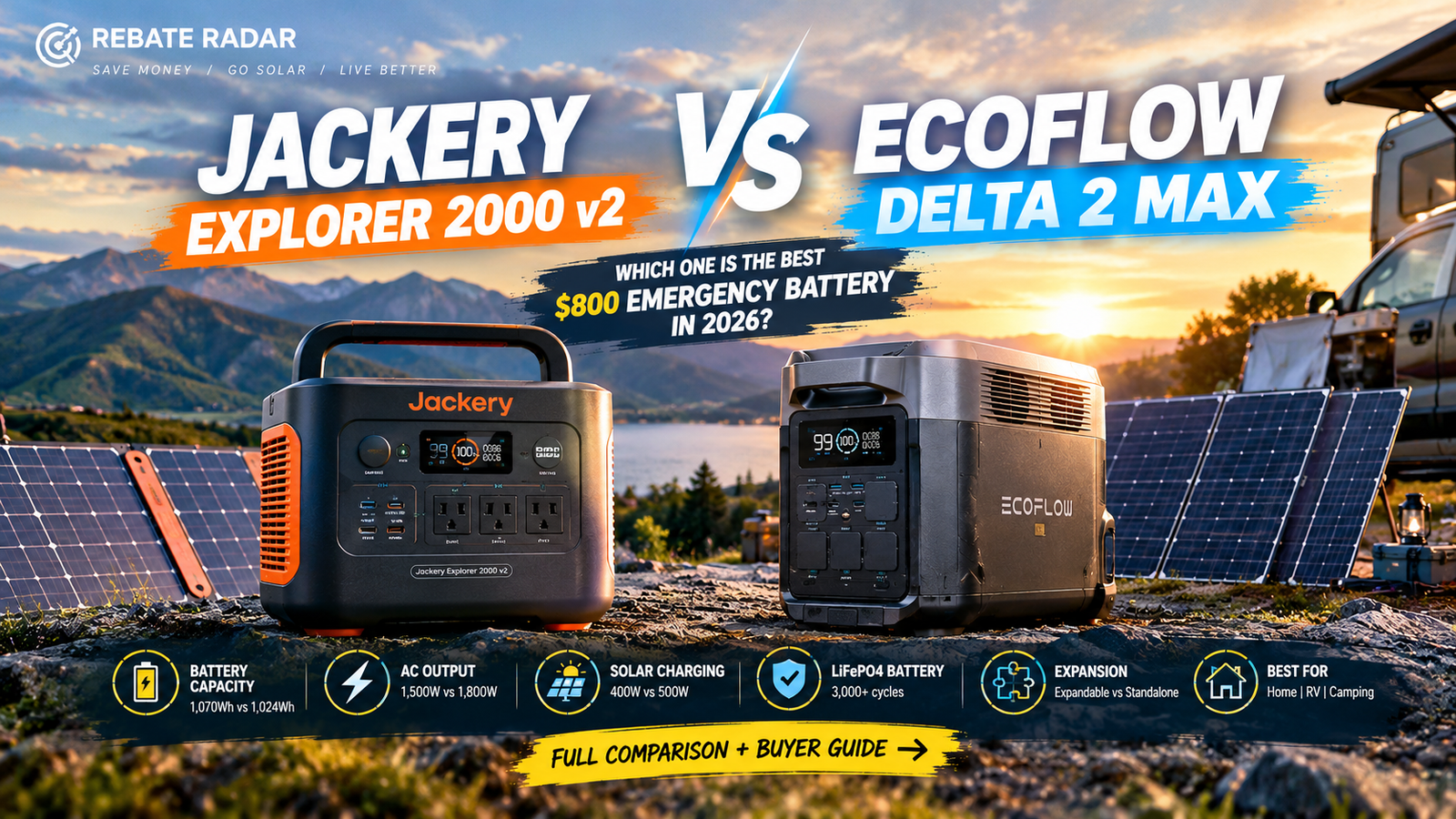
Jackery Explorer 2000 v2 vs EcoFlow DELTA 2 Max: Which 2kWh Solar Generator Is Better in 2026?
Both power stations offer roughly 2kWh of LiFePO₄ storage, strong AC output, and solar recharging options. But the details matter: Jackery emphasizes a compact 2kWh unit and a stated under-20ms UPS switchover, while EcoFlow offers a higher 2,400W rated AC output, up to 1,000W solar input across two ports, app controls, and a path to more storage with compatible extra batteries. This comparison explains the specifications, what they mean during a real outage, and how to choose based on the appliances you actually need to power.
Jackery Explorer 2000 v2 + 2 × 200W Solar Panels
2,200W rated AC output, 4,400W surge, LiFePO₄ battery chemistry, and manufacturer-stated UPS switchover under 20ms. Two 200W panels provide up to 400W nameplate solar capacity in ideal conditions.
Check Jackery Solar Bundle →Affiliate link. Confirm both panels and required cables are included in the selected listing.
EcoFlow DELTA 2 Max + 400W Solar Panel
2,400W rated AC output, 4,800W surge, X-Boost advertised up to 3,400W for compatible loads, and up to 1,000W solar input across two ports.
Check EcoFlow Solar Bundle →Affiliate link. Confirm the 400W panel is included in this exact bundle variant.
Affiliate disclosure: Rebate Radar may earn a commission from qualifying purchases through links on this page at no extra cost to you. This does not determine the editorial verdict.
Jackery Explorer 2000 v2 vs EcoFlow DELTA 2 Max: Quick Verdict
These are substantial portable power stations, not small phone-charging banks. Their roughly 2kWh batteries can cover a useful selection of essential loads, and both can be recharged from wall power or compatible solar panels. They are still different from a permanently installed whole-home battery system: the typical use case is selected appliances and plug-in devices, not automatically powering every circuit in a house.
The small difference between their nominal capacities—2,042Wh versus 2,048Wh—is not meaningful in everyday use. The more important distinctions are rated inverter output, solar input limits, transfer behavior, expansion options, physical handling, and what is included in the bundle. A higher watt rating can let a station run a larger appliance, but it does not automatically make the battery last longer. Runtime depends mainly on usable energy and the average power draw of the load.
| Buyer priority | Better starting point | Why |
|---|---|---|
| UPS-style backup for suitable electronics | Jackery Explorer 2000 v2 | Jackery states a switchover under 20ms; verify conditions and test your equipment. |
| Higher rated AC output | EcoFlow DELTA 2 Max | 2,400W rated output compared with Jackery’s 2,200W. |
| More solar input headroom | EcoFlow DELTA 2 Max | Up to 1,000W across two ports, subject to panel compatibility and input limits. |
| Bundle with two 200W panels | Jackery bundle | That is the package described in the supplied product title; verify the listing. |
| Expandable storage | EcoFlow DELTA 2 Max | Supports compatible extra batteries sold separately. |
| Simple portable emergency kit | Either | Compare the full package, cable requirements, warranty, and delivered price. |
Neither product is universally “the best.” For a refrigerator, modem, lights, and phone charging, either may be suitable if the startup load and total energy needs fit. For higher-demand appliances or a future solar array, the EcoFlow’s output and solar-input ceiling may matter. For a computer or network device that must stay online, the Jackery’s stated UPS feature is worth investigating—but a headline transfer time is not a guarantee that every device will remain on.
Full Specifications Compared
This table summarizes manufacturer-published specifications. Bundle accessories, warranty terms, and model variants can differ by retailer or region, so verify the exact product page and current manual before purchase.
| Specification | Jackery Explorer 2000 v2 | EcoFlow DELTA 2 Max |
|---|---|---|
| Nominal capacity | 2,042Wh | 2,048Wh |
| Battery chemistry | LiFePO₄ / LFP | LiFePO₄ / LFP |
| Rated AC output | 2,200W | 2,400W |
| Surge rating | 4,400W peak | 4,800W surge |
| High-load feature | Check appliance requirements against rated output | X-Boost advertised up to 3,400W for compatible loads; not the same as a 3,400W standard rating |
| Solar input ceiling | Up to 400W | Up to 1,000W across two ports |
| Bundle considered | Two 200W panels | One 400W panel, if included in the exact listing |
| UPS / transfer behavior | Manufacturer states under 20ms | Check current manual for transfer behavior and operating mode |
| USB-C | One 100W port and one 30W port, per published specification | Two ports up to 100W each |
| Expansion | Treat as a standalone unit unless documentation for the exact model says otherwise | Supports compatible extra batteries |
| Approximate weight | 39.5 lb / 17.9 kg | 50 lb / 23 kg |
| Connectivity | Verify current model and region details | Wi-Fi and Bluetooth app support |
1. Capacity: What Can Approximately 2kWh Power?
Watt-hours (Wh) measure stored energy; watts (W) measure the rate at which an appliance consumes power. Capacity helps estimate how long a battery may last, while output rating helps determine whether the station can start and run a device at all.
Neither station delivers every nominal watt-hour to an AC appliance. Inverter conversion, internal electronics, temperature, battery condition, and load profile reduce the energy available. For an illustrative comparison, this article uses 85% of nominal capacity as a planning assumption—not a measured guarantee.
With that assumption, the Jackery would provide about 1,736Wh for an AC load and the EcoFlow about 1,741Wh. The difference is negligible. Actual runtime can be higher or lower depending on the load and operating conditions. If possible, measure the energy use of your refrigerator and other essential appliances with a plug-in energy monitor before an outage.
| Example average load | Approximate runtime at 85% usable energy | What changes the result? |
|---|---|---|
| 20W router/modem setup | About 87 hours | Actual networking gear may draw more; battery overhead matters. |
| 50W lights and small electronics | About 35 hours | Combined wattage and hours of use. |
| 80W refrigerator average | About 21.7 hours | Compressor cycles, ambient heat, and door openings. |
| 120W refrigerator average | About 14.5 hours | Refrigerator efficiency and how often it runs. |
| 150W TV and streaming devices | About 11.6 hours | Screen size, brightness, and accessories. |
| 500W appliance | About 3.5 hours | Actual draw may cycle and can be much higher. |
| 1,000W load | About 1.7 hours | Only if within output rating and no other major loads are connected. |
| 2,000W load | About 52 minutes | Conversion losses and output limits; avoid treating this as a guaranteed runtime. |
The formula is estimated hours ≈ nominal Wh × 0.85 ÷ average watts. The 85% factor is an illustrative allowance, not a laboratory result. Use measured consumption where possible and leave a safety margin for startup surges and unexpected use.
Surge power: the hidden compatibility issue
Motors and compressors can briefly draw more power when they start than they consume once running. A refrigerator that averages 100W may have a higher startup surge. The station must tolerate that brief demand without overloading. Surge ratings help, but do not guarantee compatibility with every refrigerator, pump, air conditioner, or compressor. Check the appliance’s startup requirements and avoid starting multiple large loads at once.
Can a 2kWh station power a house all day?
It depends on the house’s essential-load profile. A modem, LED lights, phone charging, and an efficient refrigerator may fit a carefully managed plan. Electric space heating, central air conditioning, electric cooking, clothes dryers, water heaters, and well pumps can use energy quickly or exceed the inverter rating. These products are best viewed as essential-load backup, not automatic replacements for professionally designed whole-home storage.
2. Solar Charging: Two 200W Panels vs One 400W Panel
Panel wattage is a laboratory nameplate rating, not a promise that the panel will deliver that power all day. Output changes with sun angle, clouds, shade, temperature, panel orientation, cable losses, and the power station’s voltage and current limits.
Jackery Explorer 2000 v2 with two 200W panels
The described bundle has 400W of total panel nameplate capacity, broadly matching the Explorer 2000 v2’s stated 400W solar-input ceiling. In strong direct sun, it can collect meaningful energy during the day. It will not necessarily deliver 400W continuously; the station may limit input according to voltage, current, temperature, or battery state, and real-world panel output commonly falls below the rating.
Two panels can offer placement flexibility depending on the approved cable arrangement. Follow Jackery’s wiring instructions. Never connect panels in series or parallel unless the resulting voltage and current remain within the station’s limits. Confirm which panel models, cables, and adapters are included in the listing.
EcoFlow DELTA 2 Max with a 400W panel
The DELTA 2 Max lists up to 1,000W of solar input across two ports, each with its own electrical limits. A single 400W panel does not provide 1,000W; the system can only receive the power the connected panel produces. The larger input ceiling is useful if you later add compatible panels within EcoFlow’s voltage, current, and connector rules.
With the bundle described here, both kits start with about 400W of panel nameplate capacity if the EcoFlow listing truly includes the 400W panel. The EcoFlow has more headroom for a future array. Retail listings may contain multiple variants, so verify the selected package and box contents at checkout.
How long does solar take to refill a 2kWh battery?
A simple example shows why conditions matter. If panels average 250W of actual input for four equivalent full-output hours, they produce around 1,000Wh before charging losses. If they average 350W for four equivalent hours, that is around 1,400Wh before losses. These are examples, not predictions for your location or a particular day. A 400W panel does not usually deliver 400W from sunrise to sunset.
Estimate daily consumption first. If your essential loads use 1,000Wh per day, a well-positioned 400W array may replace much of that energy under favorable conditions. If the household uses 4,000Wh daily, a 400W array is unlikely to replenish all of it consistently. More panel capacity helps only if the station accepts it and you have enough sunlight.
Solar setup checklist
- Confirm the exact panel quantity and model included in the bundle.
- Check open-circuit voltage, operating voltage, current, and connector requirements.
- Use the approved cables and adapters for the specific power station.
- Place panels in direct sun and minimize shade from trees, rooflines, and chimneys.
- Keep the station dry and within the manufacturer’s operating temperature range.
- Plan for cloudy weather to reduce production substantially.
3. UPS and Outage Readiness
Jackery advertises UPS-style switchover under 20 milliseconds for the Explorer 2000 v2. That may be useful for equipment such as a router, network storage device, or some desktop setups. However, a stated transfer time does not mean it behaves like every dedicated online UPS, and not every computer power supply or sensitive device tolerates the same interruption.
Check the current manual for required operating mode and connections. Test your own devices under controlled conditions: save your work, start with a noncritical load, and observe whether the computer, modem, or network equipment stays on during a simulated outage. A successful router test does not prove compatibility with medical equipment, servers, or every computer.
EcoFlow promotes app-based energy management and AC Always-On behavior for the DELTA 2 Max. Transfer behavior can depend on operating mode, firmware, region, and connected load. If near-uninterrupted power is your main purchase reason, read the latest manual and test the exact setup rather than relying on a headline feature.
UPS is not a home transfer switch
A portable station’s UPS mode generally concerns switching a connected load between utility power and battery. It does not mean the unit can be connected directly to a home breaker panel without approved equipment. Never backfeed a home circuit through a wall outlet. Whole-home or selected-circuit integration requires an approved transfer arrangement installed according to local electrical rules by a qualified professional.
4. What Can Each Power Station Run?
Check two things before connecting any appliance: whether its running and startup demand is within the station’s power limits, and whether the battery has enough energy to run it for the time you need. An appliance can be compatible with the inverter yet drain the battery much faster than expected.
| Device or use | Likely fit? | Check first |
|---|---|---|
| Router, phones, tablets | Typically yes | Combined watts, USB/DC compatibility, and desired runtime. |
| LED lighting | Typically yes | Total wattage across all lights. |
| Refrigerator or freezer | Often, if compatible | Compressor startup surge and measured daily energy use. |
| CPAP machine | Potentially | Device requirements, humidifier/heated tubing, and medical-device guidance. |
| Microwave | Depends on input draw | Electrical input rating, not just cooking output rating. |
| Coffee maker or toaster | Potentially | Heating appliances often draw 800–1,500W or more; avoid stacking loads. |
| Portable air conditioner | Model-dependent | Startup surge, running watts, and runtime at high draw. |
| Central AC or electric furnace | Not a simple plug-in use case | Large starting loads, 240V requirements, and professional integration. |
| Electric water heater or clothes dryer | Generally poor fit | High sustained energy demand and possible 240V requirements. |
Build a load list before you buy
Write down each appliance, its watts, and the number of hours per day you need it. Multiply watts by hours to estimate watt-hours. For example, a 60W networking setup running for 10 hours uses 600Wh. Three 10W LED bulbs running for five hours use 150Wh. Add the loads, account for conversion losses, and leave a margin. If the plan exceeds usable capacity, prioritize essential devices or consider a larger system.
For motor-driven appliances, check startup requirements as well as running watts. For electronics, a suitable USB-C or DC connection may avoid some AC inverter losses, but only use the correct voltage and compatible cable. Do not connect medical or life-sustaining equipment without confirming compatibility with the device maker and relevant clinician.
5. Battery Expansion: A Major Difference for Longer Outages
The Jackery Explorer 2000 v2 is best treated as a self-contained 2kWh platform. Its appeal is straightforwardness: one main unit and compatible panels in the kit. If your needs are likely to remain around the same essential-load level, a standalone unit may be enough.
The EcoFlow DELTA 2 Max supports compatible extra batteries, which can increase total storage. Those batteries are separate purchases and add cost, weight, and space requirements. Confirm compatibility by exact model and current manufacturer documentation before buying expansion hardware.
Expansion changes energy capacity, not every other limitation. More batteries can extend runtime, but do not necessarily increase the main inverter’s standard AC output. If you need to run several high-wattage appliances simultaneously, check rated output and circuit limits as well as total storage.
Who benefits from expansion?
- Households that want to start with a portable unit and add storage later.
- RV owners who need more energy for multi-day trips.
- Users whose essential loads use more energy overnight than a 2kWh battery can supply.
- People planning to pair storage with a larger compatible solar array.
If expansion is not in your budget, do not pay extra for a feature you will never use. Compare the complete kit on equal terms: station, panels, extra batteries, cables, shipping, warranty, and any electrical accessories you need.
6. Which Solar Bundle Offers Better Value?
Portable power station prices change frequently with sales, coupons, inventory, and bundle variants. This guide does not claim a fixed current price or guaranteed “best deal.” Open the exact affiliate listing and compare the final cost after coupons, taxes, shipping, and optional add-ons.
Jackery bundle: value questions
- Are both 200W panels included in the selected variant?
- Does the kit include the required solar cables and adapters?
- What is the delivered cost versus buying the station alone?
- Does the UPS feature solve a real need in your setup?
- Can you comfortably move and store a 39.5 lb unit?
EcoFlow bundle: value questions
- Is the 400W panel included in the exact variant?
- Would you use the higher solar-input ceiling in practice?
- Do you expect to purchase compatible extra batteries later?
- Are app controls and energy management useful to you?
- How does the total price compare after coupons and shipping?
For a fair comparison, do not compare a station-only price with a solar bundle price. Panels can add meaningful value but also require space, safe outdoor placement, and compatible cables. Compare the same level of equipment and ask how often you will actually use solar during an outage or trip.
Think beyond the sticker price
Ownership cost includes expected use frequency, warranty coverage, cycle-life claims, storage conditions, the cost of compatible panels, and whether the station will still meet your needs in a few years. An expandable system may be economical if you really add capacity later; a standalone system may be better value if your needs are stable. Confirm return policies and seller identity as well as the headline price.
7. Which One Should You Buy? Real-World Scenarios
You want a compact essential-load kit
- You value the stated under-20ms UPS feature for suitable electronics.
- You want about 2kWh of storage and 2,200W rated AC output.
- The bundle’s two 200W panels match your solar needs.
- You do not need modular battery expansion.
- You are comfortable with a 400W solar input ceiling.
You want more output and a growth path
- You need 2,400W rated AC output.
- You may add compatible extra batteries in the future.
- You want up to 1,000W solar input across two ports with suitable panels.
- You value app-based monitoring and energy management.
- You expect backup needs to grow over time.
For an apartment or condo
Portability and safe operation matter more than the highest headline number. Both units are heavy enough that you should plan where they will live and how you will move them. Keep the station dry and ventilated within its operating-temperature range, and route cords to avoid trip hazards. Check building rules before placing panels on balconies or shared spaces.
For camping and RV trips
Consider load size, panel portability, weather, and charging access. Solar panels need sun and secure placement. Confirm your RV electrical setup is compatible with the station’s output; do not power hardwired circuits through improvised connections.
For a home office
Jackery’s stated UPS transfer time may be attractive, but test the specific computer, monitor, router, and modem. Maintain data backups and follow device-maker guidance for surge protection. A portable power station is not a substitute for backing up important files.
For a multi-day outage
Solar replenishment and load management become essential. EcoFlow’s higher solar-input ceiling and expansion option provide more flexibility if you add compatible panels or batteries. Jackery’s 400W input can still help with essential loads if you conserve energy and have good sun. Several cloudy days can change the outcome for either system.
8. Setup, Maintenance, and Safety Checklist
A portable power station can make an outage easier to manage, but it still contains a high-energy battery and electrical outputs. Read the current manual for your exact model and region.
- Test before an emergency: Fully charge the station, test the appliances you plan to use, and learn its display and controls.
- Build an outage load list: Prioritize refrigeration, communications, essential lights, and phone charging.
- Avoid overloads: Check running watts, startup surges, and combined loads. X-Boost and surge figures are not the same as standard continuous output.
- Use compatible solar connections: Verify voltage, current, polarity, and connectors. Never exceed input limits.
- Keep the station dry and ventilated: Protect it from rain and condensation unless the manufacturer explicitly rates the relevant component for those conditions.
- Observe temperature limits: Extreme temperatures can affect charging, output, and battery life.
- Inspect cables: Do not use damaged, hot, frayed, or loose connections.
- Never backfeed a wall outlet: Do not energize home wiring by plugging a power station into an ordinary receptacle.
- Medical equipment: For life-sustaining devices, confirm compatibility with the device manufacturer and a qualified clinician.
- Maintain charge: Follow manufacturer storage guidance and periodically verify the station’s charge and function.
Frequently Asked Questions
Is the Jackery Explorer 2000 v2 better than the EcoFlow DELTA 2 Max?
Neither is best for everyone. Jackery may appeal if its stated under-20ms UPS feature and two 200W panels suit your needs. EcoFlow offers 2,400W rated AC output, up to 1,000W solar input across two ports, app controls, and compatible battery expansion. Choose based on your appliances, budget, and future plans.
Which has more battery capacity?
Jackery is rated at 2,042Wh and EcoFlow at 2,048Wh. The difference is negligible in practice; usable energy and the connected load matter more.
Can the Jackery Explorer 2000 v2 run a refrigerator?
It may run many refrigerators if the running demand and startup surge are compatible. Check the appliance specifications and, if possible, measure energy use. Runtime depends on compressor cycles, temperature, and other connected loads.
Can the EcoFlow DELTA 2 Max power a 3,000W appliance?
EcoFlow advertises X-Boost for compatible loads up to 3,400W, but the station’s standard rated AC output is 2,400W. X-Boost is not equivalent to a 3,400W standard continuous rating. Check the appliance requirements and manual.
Does the Jackery bundle include solar panels?
The supplied product description identifies a bundle with two 200W panels. Verify that the selected listing includes both panels, cables, and any required adapters before ordering.
Does the EcoFlow bundle include a 400W panel?
The product title supplied for this comparison describes a 400W solar panel bundle. Check the selected listing and box contents because retailers can offer multiple variants.
Can I add more solar panels to the EcoFlow DELTA 2 Max?
The DELTA 2 Max lists up to 1,000W of solar input across two ports. Additional panels must comply with voltage, current, connector, and port limits in the current manual.
Can I expand the Jackery Explorer 2000 v2 battery?
Do not assume modular battery expansion is supported. Treat the Explorer 2000 v2 as a standalone unit unless the official documentation for your exact model states otherwise.
How long will a 2kWh power station last?
Runtime depends on the average load. As a simplified illustration, a 100W load could run for around 17 hours using an 85% usable-energy assumption. A 1,000W load would run for roughly 1.7 hours under the same assumption, before real-world variation.
Is a portable power station a whole-home battery replacement?
Not automatically. Portable stations are suited to selected essential loads and plug-in appliances. Whole-home or hardwired backup requires system design and code-compliant electrical integration. Never energize house wiring through an ordinary wall outlet.
Can I use either unit as a UPS for a computer?
Jackery advertises under-20ms UPS switchover, but compatibility depends on the computer’s power supply and operating mode. Test your setup and follow the manual. For mission-critical equipment, consider a dedicated UPS designed for that use.
Are portable power stations eligible for federal tax credits?
Eligibility depends on the specific tax provision, equipment, installation, timing, and current law. Do not assume a portable station or solar bundle automatically qualifies. Check official IRS guidance and consult a qualified tax professional for personal advice.
Sources, Methodology, and Editorial Standards
This comparison uses manufacturer-published specifications for the Jackery Explorer 2000 v2 and EcoFlow DELTA 2 Max, plus the bundle details supplied for the products linked above. Specifications, accessories, warranty terms, prices, and availability can vary by region, retailer, and model revision. Recheck the current listing and manual before ordering.
- Jackery official Explorer 2000 v2 specifications
- Jackery Solar Generator 2000 v2 bundle information
- EcoFlow US official DELTA 2 Max specifications
Runtime examples are mathematical estimates using an explicitly stated 85% usable-energy assumption. They are not independent lab measurements or guaranteed performance. Rebate Radar does not claim that either product is right for every home or eligible for a particular incentive.
Our editorial approach is to explain the specifications that materially affect the purchase: storage capacity, rated output, surge behavior, solar input, UPS behavior, expansion, and bundle contents. If a manufacturer updates a model or a retailer changes a package, consult current documentation before deciding.
Pingback: Is A 2000Wh Solar Generator Worth It In 2026? (Tested!)