
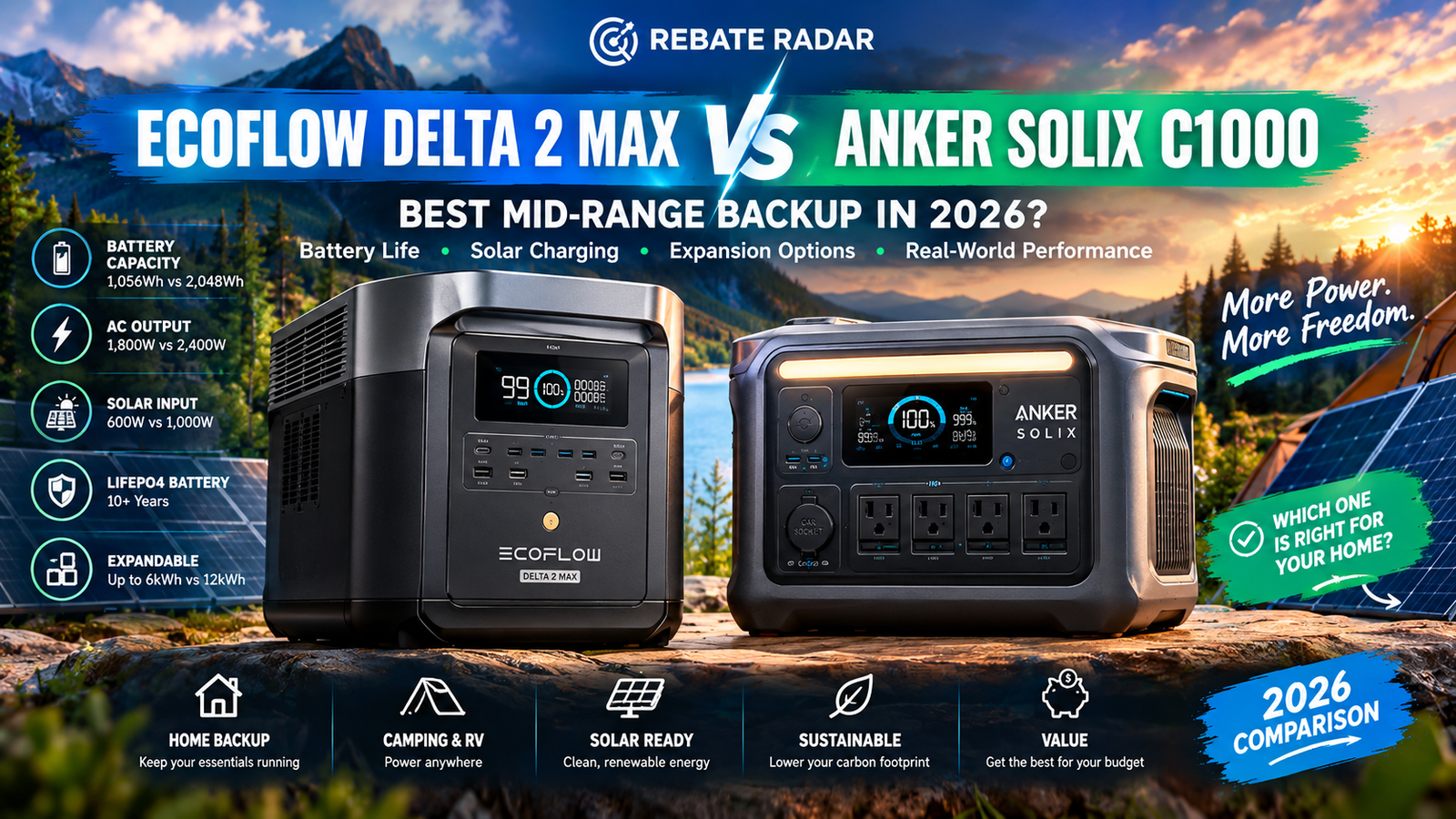
EcoFlow DELTA 2 Max vs. Anker SOLIX C1000: Best Mid-Range Backup in 2026?
Two LiFePO4 power stations take different approaches to backup power. The EcoFlow DELTA 2 Max starts with 2,048Wh and 2,400W rated AC output; the original Anker SOLIX C1000 is smaller, lighter, and rated for 1,056Wh and 1,800W. This comparison explains which is a better fit for household essentials, solar charging, portability, and your budget.
EcoFlow DELTA 2 Max
2,400W rated AC output; up to 1,000W solar input listed by EcoFlow. Best when a larger energy reserve matters more than weight.
Check EcoFlow on Amazon →Anker SOLIX C1000
1,800W rated AC output; up to 600W solar input. A compact choice for moderate loads and frequent transport.
Check Anker on Amazon →Affiliate disclosure: Rebate Radar may earn a commission from qualifying purchases through links on this page, at no additional cost to you.
EcoFlow DELTA 2 Max vs. Anker SOLIX C1000: the practical difference
“Best mid-range backup battery” is not a single specification. One household needs to keep a modem, laptop, phones, and LED lights working for two hours. Another wants a refrigerator and selected essentials to last through an overnight outage. The first buyer may prefer a compact station; the second may need more stored energy.
The DELTA 2 Max has nearly twice the nominal capacity of the original C1000. That is its clearest advantage for runtime. It also has a higher rated AC output, giving compatible appliances more power headroom. EcoFlow lists up to 1,000W solar input, compared with 600W for the original C1000. Those advantages come with a larger and heavier unit: EcoFlow lists the DELTA 2 Max at about 23kg, while Anker lists the C1000 at about 12.9kg.
The C1000 is not simply a lesser version of the EcoFlow. It is designed around a smaller capacity class. If your load list is mostly electronics and lighting, buying a 2kWh station might be unnecessary. Portability is a real benefit if you carry the unit to a campsite, move it between rooms, or have limited storage space.
| Your priority | Starting recommendation | Reason |
|---|---|---|
| Longer runtime on one charge | EcoFlow DELTA 2 Max | 2,048Wh nominal capacity. |
| Lower weight and easier transport | Anker SOLIX C1000 | About 12.9kg versus about 23kg. |
| Higher continuous AC output | EcoFlow DELTA 2 Max | 2,400W versus 1,800W rated output. |
| Compact backup for internet and electronics | Often Anker C1000 | May cover modest loads without extra bulk. |
| Whole-home backup or central AC | Neither by default | Large loads may require a professionally designed system. |
Specifications compared
This table compares the original DELTA 2 Max and original SOLIX C1000. It does not automatically apply to newer products, regional variants, or bundles with different accessories. Check the model number and current manual before ordering.
| Specification | EcoFlow DELTA 2 Max | Anker SOLIX C1000 (original) |
|---|---|---|
| Nominal capacity | 2,048Wh | 1,056Wh |
| Battery chemistry | LiFePO4 / LFP | LiFePO4 / LFP |
| Rated AC output | 2,400W | 1,800W |
| Surge / special modes | Confirm current manual and X-Boost conditions | Manufacturer lists up to 2,400W surge; confirm load compatibility |
| Maximum solar input | Up to 1,000W listed | Up to 600W |
| AC charging claims | Rapid AC and combined AC + solar under specified conditions | Advertised 80% in about 43 minutes and full charge in about 58 minutes in UltraFast mode |
| Approximate weight | About 23kg / 50.7lb | About 12.9kg / 28.4lb |
| Expansion | Compatible extra batteries; EcoFlow describes configurations up to 6kWh | Compatible expansion battery; verify availability and exact variant |
| App features | Monitoring and energy controls | Wi-Fi / Bluetooth app features |
| UPS switching | Check exact manual and use case | Anker lists about 20ms; not automatically suitable for medical equipment |
Manufacturer charging times depend on defined input conditions and should not be treated as guarantees for every outlet, solar array, temperature, or battery state.
1. Capacity: what 2,048Wh versus 1,056Wh means
Watt-hours (Wh) describe stored energy; watts (W) describe the rate of power use. A 100W device running for ten hours consumes roughly 1,000Wh. A 1,000W device running for one hour also consumes roughly 1,000Wh. Real-world results vary with inverter losses, temperature, standby draw, battery condition, and whether a device cycles on and off.
The DELTA 2 Max stores 2.048kWh nominally; the C1000 stores 1.056kWh. EcoFlow therefore starts with about 1.94 times the energy. For a rough planning estimate, some buyers use 85% of nominal capacity as an allowance for losses and reserve. This is an illustration, not a tested efficiency figure for either product: it gives about 1,741Wh for EcoFlow and 898Wh for Anker.
| Average load | DELTA 2 Max (illustrative 85% allowance) | C1000 (illustrative 85% allowance) |
|---|---|---|
| 50W | About 34.8 hours | About 18 hours |
| 100W | About 17.4 hours | About 9 hours |
| 300W | About 5.8 hours | About 3 hours |
| 500W | About 3.5 hours | About 1.8 hours |
| 1,000W | About 1.7 hours | About 0.9 hours |
Formula: estimated runtime ≈ usable energy (Wh) ÷ average load (W). These are arithmetic estimates, not measured runtime claims. For critical equipment, test the actual setup before relying on it during an outage.
What about a refrigerator?
Refrigerator consumption depends on model, age, ambient temperature, door openings, compressor cycles, and startup surge. The energy label may show annual kWh rather than a steady watt figure. Divide annual kWh by 365 to estimate average daily energy, but remember that this does not reveal startup demand. A plug-in energy meter can help you measure a typical day.
For a refrigerator, router, several LED lights, and phone charging, the DELTA 2 Max’s larger reserve is useful if the outage may last overnight. The C1000 may still work if total energy use is modest or solar charging is available. For repeated long outages, consider whether either unit is enough or whether an expandable system is more practical.
2. Output: can it run your appliances?
Capacity is only half the question. The inverter must provide enough power at the moment a device needs it. The C1000 is rated for 1,800W AC; the DELTA 2 Max is rated for 2,400W. Multiple devices can exceed those limits when used together, and motors or compressors may briefly demand more power when starting.
Check each appliance’s running watts and starting watts. Add the loads you intend to use simultaneously. Marketing phrases such as “powers 99% of appliances” do not override the manual’s continuous output, surge rating, outlet limits, or compatibility guidance.
| Device (illustrative range) | What to verify | Practical note |
|---|---|---|
| Wi-Fi router: roughly 8–20W | Adapter label | Low draw; useful for maintaining connectivity. |
| LED light: roughly 5–15W each | Bulb rating | Several efficient lights may remain a modest load. |
| Laptop: roughly 30–100W while charging | Charger rating and usage | Compatible USB-C charging may reduce conversion losses. |
| Refrigerator | Measured energy and startup surge | Test the exact appliance. |
| Microwave | Input wattage | Short use can still be a high-power load. |
| Coffee maker | Heater wattage | High draw, even when used briefly. |
| Space heater | Rated watts and duration | Often drains portable batteries quickly. |
| Power tools / AC | Running and startup requirements | Compatibility depends on exact model and load profile. |
The DELTA 2 Max has more output headroom for compatible devices drawing between 1,800W and 2,400W, but its surge requirements still matter. It does not automatically run central HVAC, electric dryers, electric ranges, or other large household loads. The C1000 suits many electronics and moderate loads, but combining a kettle, microwave, coffee maker, and refrigerator may exceed its limit.
3. Solar charging: EcoFlow has more input headroom
Solar input matters when an outage lasts longer than one battery cycle. EcoFlow lists up to 1,000W of solar input for the DELTA 2 Max, compared with up to 600W for the original C1000. That gives EcoFlow a higher potential solar charging rate when the array and conditions support it. It does not mean panels deliver their rated wattage all day.
Solar output varies with sunlight intensity, clouds, season, panel angle, shading, panel temperature, wiring, and the station’s input limits. Check the array’s open-circuit voltage, operating voltage, current, connector type, and the manual’s series/parallel guidance. Never connect a panel string simply because the advertised wattage looks suitable.
A 400W panel does not deliver 400W continuously. As an illustration, 400W multiplied by four equivalent peak-sun-hours equals 1.6kWh before losses. Actual energy depends on weather, orientation, season, and equipment. Use this only as a planning estimate, not a promise.
The DELTA 2 Max is the stronger starting point if you have sufficient panel area and need to refill a larger battery between outages. The C1000’s 600W ceiling may be sufficient for smaller loads. Check whether a listing includes panels: some bundles sell the station alone while others include panels, cables, or accessories.
4. LiFePO4 chemistry and battery longevity
Both models use lithium iron phosphate, commonly called LiFePO4 or LFP. This chemistry is widely used in portable power stations because it offers a favorable combination of cycle life and thermal stability compared with some other lithium-ion chemistries. It is not risk-free: damage, incorrect charging, water exposure, excessive heat, and incompatible accessories can still create hazards.
Cycle-life claims depend on test conditions and the manufacturer’s definition of end-of-life capacity. They do not guarantee a specific number of years for every owner. Calendar aging, temperature, storage state of charge, depth of discharge, and frequency of use all matter. Read the warranty and exclusions rather than treating a cycle count as a lifetime guarantee.
- Follow charging, storage, and temperature instructions.
- Avoid leaving the station in a hot vehicle or direct sun for long periods.
- Do not charge outside the stated temperature range.
- For long storage, follow the manual’s recommended charge level and inspection interval.
- Keep ventilation openings clear and use only compatible expansion batteries and cables.
- Test your real devices periodically before depending on the setup in an emergency.
The C1000’s portability can make it easier to move and store. The DELTA 2 Max’s higher capacity can reduce how often you need to recharge for the same load. Long-term value depends on the purchase price, how much energy you actually use, and whether expansion is part of your plan.
5. Which one is better for your situation?
Apartment essentials during a short outage
If your list is a router, phones, laptop, LED lights, and a small fan, the C1000 may be the more proportionate choice. Estimate watt-hours for the outage window and leave room for losses. If outages usually last one or two hours, a larger station may not provide enough extra value to justify the cost and weight.
Refrigerator and internet overnight
The DELTA 2 Max is the stronger starting point because it stores nearly twice as much nominal energy. Measure the refrigerator if possible, add networking equipment and lights, and estimate the required hours. For repeated outages, consider whether solar input or an extra battery can restore enough energy between events.
Camping and mobile work
The C1000’s lower weight is an advantage if you move equipment often. The DELTA 2 Max makes more sense if you run higher-energy loads or stay off-grid longer. Account for vehicle cargo space, lifting ability, and recharge time.
Working from home
Calculate the combined average draw of modem, router, laptop, monitor, and lights. A compact station may cover a work session if loads are modest. A desktop workstation, multiple monitors, and networking hardware may benefit from the larger capacity. If a device must not reboot, check switching behavior and compatibility before using a power station as a UPS.
Frequent outages with daytime sun
Choose based on daily energy use, not battery size alone. A larger battery that cannot be recharged between outages may still run out. EcoFlow’s higher listed solar ceiling may help with a suitably sized array; Anker’s lower ceiling can be enough when loads are small. Model your daily Wh demand and realistic solar harvest.
High-wattage appliances
The DELTA 2 Max has a higher continuous output rating, but a 2,400W rating does not mean it can power a 2,400W appliance for long. Capacity determines duration. Confirm startup surge and never use improvised household connections.
Choose EcoFlow if…
- You need more stored energy.
- Essential loads may run overnight.
- You need higher rated AC output.
- You may expand the system.
- You can accommodate the weight.
Choose Anker if…
- You want a lighter unit.
- Your planned loads are moderate.
- You use it for travel or camping.
- You do not need nearly 2kWh.
- Portability is more important than runtime.
6. Value: compare the complete system cost
Portable power station prices change with promotions, coupons, seasonal sales, bundles, and seller availability. Check live prices immediately before purchase rather than relying on a number that may be stale. Compare the same package contents: station-only against station-only, or a complete solar bundle against a complete solar bundle.
The station price is only one part of the budget. Add solar panels, cables, expansion batteries, storage accessories, and approved transfer equipment if needed. A lower-priced unit can cost more after accessories; a higher-capacity model can be poor value if you never use the extra energy.
Cost per watt-hour is one rough metric, but it ignores output power, inverter efficiency, warranty, charging speed, ports, portability, and expansion. A fair decision should include the total setup cost and whether it meets your actual load plan.
- Set your outage goal: two hours, overnight, or repeated days.
- List essential devices: record watts, hours of use, and startup surge.
- Calculate energy: multiply watts by hours for each device and add Wh.
- Add reserve: allow for losses, changing loads, battery aging, and imperfect weather.
- Price the full setup: include panels, cables, expansion batteries, and installation equipment.
- Check warranty: read terms for the exact model and region.
Do not assume a portable power station qualifies for a federal tax credit, state rebate, or utility incentive. Eligibility depends on the specific program, installation, date, and rules. Verify any claimed incentive with the responsible agency or utility before including it in your budget.
7. Other options worth comparing
The DELTA 2 Max and original C1000 are not the only options. If you need a different capacity, output, expansion path, or price, compare alternatives—but verify the exact model and live listing.
Anker SOLIX F2000
Worth comparing if you want more capacity than a compact C1000. Check the exact model’s output, charging input, dimensions, warranty, and current bundle.
Jackery Explorer 5000 Plus
Consider a larger-capacity option if your requirements exceed a compact portable station. Compare expansion, output, solar input, and complete system cost.
Jackery Explorer 2000 v2 bundle
Compare this alternative in the roughly 2kWh class. Confirm the precise bundle, AC output, solar input, and included accessories.
EcoFlow DELTA Pro family
Research the larger system family if your load plan needs more energy or a more extensive backup configuration. Verify compatibility and installation requirements.
These are secondary affiliate options, not a claim that every item is in stock or best for every reader. Confirm the exact product, seller, price, and package contents.
8. Buyer checklist before ordering
- Confirm the model: distinguish the original C1000 from newer or regional variants.
- Check output: continuous watts, surge rating, voltage, outlet limits, and compatibility.
- Calculate energy: watt-hours estimate duration; watts alone do not tell you runtime.
- Plan for startup: refrigerators, pumps, and tools may need brief surge power.
- Verify solar compatibility: voltage, current, connectors, panel wattage, and input limits.
- Check the bundle: do not assume panels or expansion batteries are included.
- Read the warranty: confirm coverage, exclusions, and regional support.
- Consider weight: a larger station may be harder to move during an emergency.
- Use it safely: keep it dry, ventilated, and away from heat.
- Test in advance: run your real devices and measure their consumption.
9. What a portable station can—and cannot—replace
Portable power stations are useful for selected devices, but they are not automatically a replacement for a home electrical system. They have finite energy, limited outlets, and defined output limits. Large loads can drain the battery quickly, and a station may not connect directly to household circuits without approved transfer equipment.
They are not a substitute for emergency medical planning. If you rely on powered medical equipment, consult the equipment provider and clinician about required runtime and tested compatibility. Do not assume a consumer station’s UPS feature is appropriate for life-support equipment.
During a prolonged outage, prioritize critical loads, fully charge before forecast storms, keep cables accessible, and identify how you will recharge if grid power remains unavailable. If solar is part of the plan, practice deploying panels safely before you need them.
10. How to compare products fairly
Comparisons become misleading when one product is priced as a station-only unit and another with panels, or when a newer version is compared with an older one. Use the same assumptions for both: capacity, continuous AC output, solar input, weight, warranty, included accessories, and a common load plan.
For runtime, use the same average load and loss allowance. For solar, use the same location, panel orientation, weather assumptions, and charge window. For price, compare the exact items in the cart at the same time. If one product needs an expansion battery to meet your target, include that battery in the total.
Consider how the unit will be used throughout the year. A large station for rare emergencies may sit unused; a compact station used weekly for camping or remote work may offer more practical value. The best choice meets your needs safely without making you pay for capacity you do not use.
Final recommendation
In the EcoFlow DELTA 2 Max vs. Anker SOLIX C1000 comparison, EcoFlow leads on headline figures relevant to longer backup: 2,048Wh nominal capacity, 2,400W rated AC output, and a higher listed solar input ceiling. Those make it a strong candidate for users who want to run several essential devices for longer stretches.
The original Anker SOLIX C1000 is the more portable choice. Its 1,056Wh capacity and 1,800W output can suit electronics, networking, lights, and selected appliances when the load plan is realistic. If your needs are modest, the lower weight may matter more than the EcoFlow’s additional energy.
Neither is universally best. Start with your load list, estimate watt-hours, verify surge and output limits, and decide whether you can recharge during the outage. Then compare live prices and the complete package—not just the product headline.
11. Build a realistic backup plan before choosing a battery
The most useful question is not “How many appliances can this power station run?” It is “Which devices must stay on, for how long, and what can I comfortably switch off?” A capacity number alone cannot answer that. Start with a written plan for the first two hours of an outage, the overnight period, and a longer interruption. Those scenarios often produce different shopping decisions.
Make a three-level load list
Level 1 — communication and safety: phones, a modem or router, a small LED light, and any essential low-wattage device. These loads usually make the greatest difference to comfort and communication while consuming comparatively little energy. Keep charging cables together and know which outlets on the station provide the right output.
Level 2 — food and work: a refrigerator, laptop, monitor, or other equipment needed for remote work. These loads require more planning because appliances cycle on and off and their consumption changes over time. A refrigerator that draws a modest amount while its compressor is running may still have a brief startup surge. Measure real energy use when possible instead of estimating from the maximum wattage printed on a label.
Level 3 — high-demand comfort loads: kettles, heaters, microwaves, air conditioners, pumps, and other devices with heating elements or motors. These can consume a large share of stored energy quickly. Check both running watts and startup requirements, and avoid assuming that a product’s surge rating means it can sustain that load continuously.
A simple energy worksheet
For each device, estimate average watts multiplied by the hours you expect to use it. A 10W router running for 12 hours uses about 120Wh; a 60W laptop used for 5 hours uses about 300Wh. Add the results together, then allow extra energy for inverter losses, variable appliance demand, and a reserve. These examples are arithmetic illustrations, not promises of actual runtime.
| Illustrative device | Assumed average draw | Hours | Estimated energy |
|---|---|---|---|
| Wi-Fi router | 10W | 12 | 120Wh |
| Laptop | 60W | 5 | 300Wh |
| LED lights combined | 20W | 5 | 100Wh |
| Phone charging combined | 15W | 3 | 45Wh |
| Illustrative total | — | — | 565Wh |
That 565Wh total is only a planning baseline. Actual devices may draw more or less, and converting battery energy to AC power introduces losses. The C1000’s 1,056Wh and the DELTA 2 Max’s 2,048Wh are nominal battery capacities, not a guarantee that every watt-hour will be delivered to AC appliances. If your plan repeatedly approaches the full nominal capacity, choose a larger reserve or reduce the load list.
For a deeper home energy audit, use Rebate Radar’s Home Energy Bill & Usage Cost Calculator to think through consumption, and the Appliance Energy Consumption & Cost Calculator to estimate how individual appliances affect your energy use. Those tools address energy consumption and cost; they do not replace a battery’s electrical compatibility checks.
12. Solar charging: panel ratings are not the same as daily energy
The DELTA 2 Max’s listed maximum solar input is higher than the original C1000’s, but that does not automatically mean it will recharge faster in every home or campsite. A power station accepts energy only within its input-voltage, current, and wattage limits. Your panels must also be wired in a configuration supported by the manufacturer. Never connect a panel string just because its combined wattage looks suitable; verify open-circuit voltage, operating voltage, current, connector polarity, and the specific unit’s manual.
Solar production changes by hour, season, cloud cover, panel angle, shade, temperature, and location. A panel rated at 400W will not deliver 400W continuously throughout the day. For planning, distinguish the panel’s laboratory rating from the energy it can realistically collect across a day. Partial shade on even one panel can materially affect output depending on the wiring and panel design.
Think in watt-hours per day
A useful estimate is panel watts multiplied by equivalent peak-sun hours, then reduced to account for real-world losses. For example, a hypothetical 400W array receiving four equivalent peak-sun hours would produce 1,600Wh before losses. Actual usable energy could be meaningfully lower. This is an illustration only—not a forecast for your address or a guarantee that a station will fully recharge in one day.
For the EcoFlow, the 1,000W maximum solar input gives more headroom if you intend to connect a suitably configured array. The original Anker C1000’s 600W maximum can be adequate for a compact portable setup, but it caps the rate at which solar energy can enter the unit. In either case, check whether the panel bundle includes the right cables and whether the total voltage stays inside the allowed range in cold conditions, when panel open-circuit voltage can rise.
Solar charging is a system decision
Before buying panels, list the exact station model, panel model, connector type, voltage range, maximum current, cable length, and expected placement. If you plan to leave panels outside while bringing the station indoors, plan a safe cable route and protect connectors from water. Do not run improvised wiring through doors or windows where it could be crushed or damaged.
If you are comparing a portable station with a fixed home battery, read our guides to installing battery storage without solar panels and home battery backup without solar. They help frame the difference between a movable power station and a larger home-energy installation. For broader product choices, see our portable power station guide and our solar generator comparison.
13. Ownership costs: what the product price leaves out
The purchase price is only the beginning of the decision. A complete backup plan may also need solar panels, compatible extension cables, a protective storage location, expansion batteries, and—if a home circuit connection is part of the plan—approved transfer equipment installed by a qualified electrician. Do not add a transfer switch simply because a product has AC outlets; portable power stations and home batteries are not interchangeable in every installation.
Warranty length and battery-cycle claims are useful, but read the conditions behind them. Cycle-life figures generally describe a defined test condition and a remaining-capacity threshold; they do not mean the battery will deliver its original capacity forever or that every user will reach the stated cycle count. Heat, storage state of charge, depth of discharge, charging habits, and time can affect battery aging. Follow the current manual for charging and storage temperature limits.
Also compare the warranty for the country where you will use the station. Terms, service availability, and product versions can vary by market. A low sale price is less compelling if the product is difficult to service or the bundle lacks the accessory you need. Confirm that the seller is reputable, the listing names the exact original C1000 rather than a different model, and the included-items section matches your plan.
Use cost per usable watt-hour carefully
Dividing the product price by nominal watt-hours can help compare energy capacity, but it is not a complete value score. The calculation does not capture rated output, surge behavior, charging options, ports, weight, expansion, warranty, or the cost of compatible accessories. A compact station may be better value for a person who carries it every weekend, while a larger station may offer better practical value for a household that needs longer runtime during outages.
When you compare current listings, record the date, exact bundle, coupon conditions, and whether solar panels or expansion batteries are included. Retail prices change frequently, so this article intentionally avoids treating a temporary promotion as a permanent price. Do not make a decision based on a headline discount without checking the checkout total and return policy.
For home battery costs and broader system planning, continue with Home Solar Battery Cost Breakdown, Home Battery Backup Installation Costs, and How Many Home Batteries Do You Need?. These guides address larger installations and planning questions that a portable station comparison cannot resolve on its own.
14. Safety, electrical limits, and what not to improvise
Portable power stations make some forms of backup simpler, but they do not remove electrical risks. Use undamaged cables and manufacturer-approved accessories. Keep the unit dry, ventilated, and within the specified operating-temperature range. Do not cover ventilation openings, expose the unit to rain unless the manufacturer specifically rates the relevant component for it, or place it where it could block an exit.
Never connect a power station to a home wall outlet using a male-to-male cable or another improvised method. That can create a backfeed hazard and expose utility workers or occupants to dangerous voltage. If you want to energize selected household circuits, ask a licensed electrician about a compatible transfer switch or other approved connection method. Confirm the station’s continuous output, neutral-ground requirements, circuit arrangement, and local electrical code before installation.
Do not assume a power station can start every motor or run every appliance just because its marketing mentions a high surge or special output mode. Read the operating manual and check the appliance’s rated watts, startup surge, voltage, frequency, and any power-factor requirements. Some devices also require a stable supply or a specific waveform. If a critical medical device is involved, consult its manufacturer and clinician, and arrange a suitable tested backup plan rather than relying on an unverified runtime estimate.
For a refrigerator, test the intended setup before an emergency if it is safe to do so. Start with a fully charged station, connect only the planned loads, monitor the displayed power draw, and note how much battery is used over a known period. Keep refrigerator doors closed during outages and follow food-safety guidance from the appropriate public-health authority. A power station is not a substitute for emergency planning or safe food handling.
For a larger, permanently installed backup system, compare the use cases in Tesla Powerwall 3 alternatives and home battery backup vs. standby generator. If you are weighing incentives, use our home battery tax credit guide and federal solar tax credit guide as starting points only; verify current rules with the relevant agency or a qualified tax professional before relying on a tax benefit.
Frequently asked questions
Is the EcoFlow DELTA 2 Max better than the Anker SOLIX C1000?
It is better suited to longer runtime and higher rated AC output. The original C1000 is lighter and may fit smaller loads and frequent transport better.
How long can the DELTA 2 Max power a refrigerator?
Runtime depends on actual energy use, compressor cycles, startup surge, temperature, and conversion losses. Measure the appliance if possible and estimate usable battery energy divided by average watts.
Can the Anker SOLIX C1000 run a refrigerator?
It may run a compatible refrigerator if running watts and startup surge are within limits and enough energy is available. Check the label and test the setup before relying on it.
Which charges faster with solar panels?
EcoFlow lists up to 1,000W solar input for the DELTA 2 Max; Anker lists up to 600W for the original C1000. Actual charging depends on sun, panels, temperature, and state of charge.
Can either power station run central air conditioning?
Do not assume so. Central AC can require much more power and startup capacity. Check the system’s electrical requirements and consult a qualified professional.
Are both batteries LiFePO4?
Yes, the original DELTA 2 Max and original SOLIX C1000 use LiFePO4/LFP chemistry. Follow each manual for charging, temperature, storage, and maintenance.
Does the Anker C1000 include solar panels?
Not necessarily. Listings may sell the station alone or in different bundles. Check the exact included-items list.
Can I connect a station to my breaker panel?
Only with a compatible, approved setup. Never backfeed a home through a wall outlet or improvised cable. Ask a licensed electrician about compliant transfer equipment.
Will either qualify for a tax credit or rebate?
Do not assume eligibility. It depends on the specific program, equipment, installation, date, and rules. Confirm with the relevant agency, utility, or qualified tax professional.
Should I buy the larger battery if I use it occasionally?
Only if its added runtime, output, or expansion solves a real need. Base the choice on your load list, portability needs, and total system cost.
What is the most common buying mistake?
Confusing watts with watt-hours. Watts describe power at a moment; watt-hours describe stored energy and help estimate duration. Check both output limits and required energy.
Are advertised charging times guaranteed?
No. They depend on charging mode and input conditions. Circuit limits, battery temperature, state of charge, solar conditions, and regional versions can affect charging time.
Sources, methodology, and editorial standards
This comparison uses manufacturer-published specifications and basic energy-planning calculations. We distinguish rated output from surge or special-mode claims, nominal capacity from usable energy, and advertised charging times from real-world results. Rebate Radar has not independently laboratory-tested these units for this article.
- EcoFlow official DELTA 2 Max product page — capacity, output, solar input, expansion, and runtime examples.
- Anker SOLIX official C1000 product page — capacity, output, solar input, charging claims, and warranty details.
- Anker support: Introduction to SOLIX C1000 — ports and technical details.
- EcoFlow DELTA 2 Max user manual — operating and safety guidance.
This article is for general educational purposes, not electrical, tax, or emergency-management advice. Confirm live details with the manufacturer and retailer before buying.