
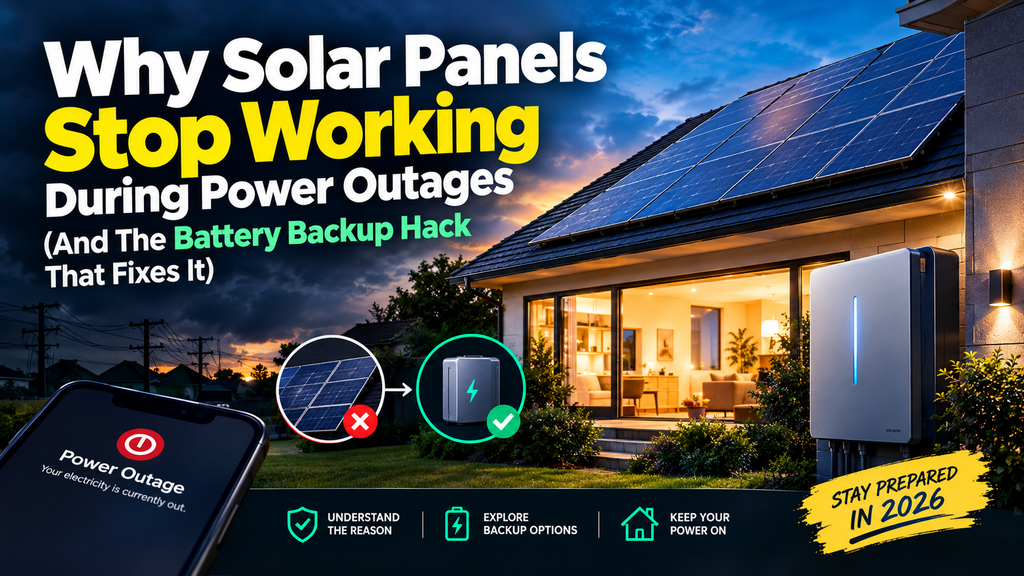
Why Solar Panels Stop Working During Power Outages — And the Battery Backup Fix
Your roof may be covered in solar panels, yet your home can still go dark when the utility grid fails. Learn why grid-tied systems shut down, what equipment can keep power flowing, and how to choose a practical backup solution.
It seems counterintuitive: the sun is shining, your solar panels are on the roof, and yet your lights, refrigerator, and Wi-Fi stop working during a power outage. The explanation is that most standard grid-tied solar systems are designed to shut down when they detect a loss of utility power.
This is an important safety feature, not necessarily a sign that your panels are broken. A conventional grid-tied system generally needs the utility grid as its electrical reference. When the grid goes down, the inverter disconnects to avoid sending electricity onto lines that utility workers may believe are de-energized.
The solution is not simply to add more panels. To use solar energy during an outage, your home needs compatible equipment that can safely operate independently from the grid. Depending on the system, that may mean a battery, an inverter capable of backup operation, appropriate isolation and transfer equipment, and a properly configured backup circuit or panel.
1. Why Do Solar Panels Stop Working During a Power Outage?
Most residential solar installations in the United States are connected to the utility grid. In a typical grid-tied system, rooftop panels generate direct-current (DC) electricity, and an inverter converts it into alternating-current (AC) electricity that household appliances can use.
When the grid is operating normally, the home can use solar production, draw additional electricity from the utility when needed, and export surplus power if the system and utility arrangement permit it.
When utility power fails, a conventional grid-following inverter detects the abnormal grid condition and disconnects. Without a grid reference or an approved backup configuration, it cannot simply continue energizing the home’s normal circuits.
What happens to the electricity from the panels?
Sunlight may still be reaching the panels, and the panels may still be capable of producing DC electricity. But the fact that the modules receive sunlight does not mean the house has a safe, usable AC supply. The inverter, electrical isolation equipment, controls, and system design determine whether electricity can reach household loads.
In a standard grid-tied installation without backup functionality, the panels may therefore produce no usable electricity for your home during the outage, even in bright sunlight.
Grid-tied solar only
Typically shuts down when the utility grid is unavailable. Solar production alone does not provide an independent household power source.
Solar plus compatible storage
Can isolate from the utility and supply designated loads when the inverter, battery, controls, and transfer equipment are designed for backup operation.
The U.S. Department of Energy explains that rooftop solar alone generally does not provide outage resilience because grid-connected systems are designed to shut down when grid power fails. A properly configured battery and inverter arrangement can allow a system to operate in an isolated mode.
Read the Department of Energy’s Solar and Resilience Basics for an official overview of how solar-plus-storage can support electricity during outages.
2. The Solar Grid Shutdown Safety Rule: Anti-Islanding Explained
The technical concept behind this shutdown is called anti-islanding protection. An electrical “island” is a section of the grid that remains energized even though it has been disconnected from the main utility supply.
Imagine a neighborhood loses utility power after a storm. If rooftop solar inverters continued feeding electricity into the disconnected distribution lines without the right controls, those lines could remain energized unexpectedly. That creates a serious hazard for lineworkers and may also expose equipment to unstable voltage or frequency.
Anti-islanding protection is designed to prevent an ordinary grid-connected inverter from continuing to energize a grid that has lost its normal source.
Why a battery can change the outcome
A battery-based backup system is not supposed to defeat this protection. Instead, properly designed equipment disconnects the home or backup circuits from the utility grid and creates a controlled local power supply. Depending on the system, the battery inverter can establish the electrical conditions needed for compatible solar equipment to operate.
When utility service returns, the system follows its approved reconnection sequence. The equipment must be designed and installed for this purpose; adding an arbitrary battery or plugging devices together does not create a safe microgrid.
The Department of Energy’s explanation of islanding and microgrids describes why electrical isolation matters during a grid outage.
3. Four Ways to Get Electricity During a Solar Power Outage
The right solution depends on what you need to keep running, how long outages typically last, whether you already own solar panels, and your budget. These options serve different purposes and should not be treated as interchangeable.
Option 1: Add a compatible home battery and backup inverter
This is often the most integrated route for a homeowner who already has rooftop solar. A properly designed system can store energy and supply designated household circuits when utility service is lost. Some configurations can recharge the battery from the panels during daylight, allowing the system to use available solar energy during a longer outage.
Compatibility is critical. Some existing solar inverters can work with specific storage systems; others may need additional equipment or a different architecture. Ask your installer how the system will isolate from the grid, which circuits remain powered, whether solar production continues during an outage, and how the battery behaves when full or depleted.
For a closer look at the economics, read our guide to home solar battery costs in 2026.
Option 2: Use a portable power station for essential devices
A portable power station combines a battery, an inverter, and outlets in one unit. It can be a practical way to power selected devices such as phones, laptops, LED lights, networking equipment, and certain small appliances within its output limits.
Many models can recharge from compatible portable solar panels. However, a portable station with solar input does not automatically connect to your rooftop solar array. Rooftop panels may operate at electrical voltages and use connectors that are not compatible with a portable station’s solar input.
Use only the manufacturer’s specified charging method, voltage range, connectors, and approved accessories. Do not connect a home’s rooftop PV wiring to a portable power station unless the system manufacturer explicitly supports that configuration and it has been designed and installed correctly.
See our comparison of portable power stations versus backup generators if you are deciding between battery-based and fuel-based backup.
Option 3: Install a whole-home or selected-circuit backup system
Some battery systems can be integrated with a home’s electrical panel using approved transfer or control equipment. Depending on the design, the system may power selected essential circuits or a larger portion of the house.
Whole-home backup requires careful load planning. Large loads such as central air conditioning, electric ranges, electric water heaters, well pumps, and EV chargers can consume substantial power or have high startup requirements. A battery may have enough stored energy but still lack the output needed to run all these devices simultaneously.
Read our home battery backup cost guide and our guide to how many home batteries you may need before choosing system capacity.
Option 4: Use a generator as a separate backup source
A generator can provide power during extended outages, depending on fuel availability, maintenance, weather conditions, and its capacity. Some households use a generator alongside solar and battery storage, but the integration must follow the equipment manufacturer’s instructions and applicable electrical codes.
Fuel-powered generators must never be operated indoors, in a garage, or near openings where exhaust can enter the home. Carbon monoxide is odorless and can be fatal. Follow current guidance from local emergency-management authorities and the generator manufacturer for safe outdoor placement and connection.
A generator is not automatically a way to recharge or control an existing solar system. Any connection between generation equipment, batteries, transfer switches, and household wiring needs a compatible design.
4. How Solar Panels and a Battery Work Together During a Blackout
A properly designed solar-plus-storage system can do more than store electricity for use at night. It can also help a home continue using solar energy during a utility outage, provided the system supports backup operation and sufficient sunlight and battery capacity are available.
Step 1: The system detects the outage
Approved controls detect the loss of utility power and isolate the backup system from the grid. The purpose is to prevent unintended energization of utility lines.
Step 2: The battery inverter establishes a local supply
The system’s backup inverter and controls supply the circuits that have been configured for backup. Some systems use a dedicated backup panel; others use compatible whole-home controls. The exact arrangement depends on the equipment.
Step 3: The battery supplies energy
Stored electricity powers connected loads. How long it lasts depends on usable battery capacity and the combined demand of appliances running at that time.
Step 4: Compatible solar production may recharge the battery
If the inverter and battery system support solar charging while isolated from the grid, the rooftop array may continue supplying energy during daylight. Production varies with sunlight, weather, shade, temperature, and system design. Some systems limit or curtail solar production when the battery is full or the loads cannot use the energy.
Step 5: The system manages the return of utility power
Once utility service is restored and conditions are suitable, the system follows its approved reconnection process. Follow the manufacturer’s instructions and do not manually bypass protective equipment.
NREL’s overview of solar-plus-storage resilience explains that storage can make solar energy available when the grid is unavailable, while also noting that energy availability still depends on battery charge, sunlight, and system design. See NREL’s solar resilience publication.
5. Can a Portable Power Station Fix a Solar Blackout?
It can provide backup electricity for selected devices, and some units can recharge from portable solar panels. But whether it can use your existing rooftop solar array is a separate technical question.
For a typical household, a portable power station can be a useful first step if the goal is to keep essential electronics and a few small appliances running. It may also be suitable for camping, temporary workspaces, and emergency kits.
It is not automatically a replacement for a grid-connected solar inverter, a home battery, or a transfer switch. Before purchasing one for an outage, consider the following.
Capacity (Wh or kWh)
Indicates stored energy. A larger number generally allows a compatible load to run longer, but actual runtime depends on usable capacity and conversion losses.
Output (W)
Indicates how much power can be supplied at once. A unit may have enough energy but still be unable to start or run a high-wattage appliance.
Solar input compatibility
Check the allowable input voltage, current, wattage, connector, and charging specifications. Rooftop PV circuits may not be suitable for a portable unit.
Connection method
Use approved outlets and manufacturer-supported transfer equipment. Never energize home wiring through an ordinary receptacle or an improvised connection.
If your main goal is to power essential appliances without rooftop solar, our guide to home battery storage without solar explains the separate role of standalone battery backup.
6. Backup Runtime Calculator: How Long Could a Battery Last?
Use this simple estimator to approximate how long a battery might power a group of devices. Enter the battery’s capacity in watt-hours and the estimated combined wattage of the devices you intend to run.
Estimate your blackout runtime
This is an illustrative estimate, not a guarantee. It accounts for a user-entered usable-capacity percentage and inverter efficiency, but actual performance varies by product, load, temperature, battery condition, and operating limits.
Estimated runtime
—Enter your values and calculate.
This estimate does not account for startup surges, device cycling, standby consumption, temperature limits, or manufacturer reserve settings.
Example: A battery with 2,042 Wh of nominal capacity may not deliver all of that energy to AC appliances. If you assume 85% usable capacity and 90% inverter efficiency, the illustrative available energy becomes about 1,563 Wh. At a constant 200 W load, that is approximately 7.8 hours under those assumptions.
The example is not a product guarantee. Always use the manufacturer’s published usable capacity and output limits when available. A refrigerator or pump can cycle on and off and may have a startup surge, so its runtime and compatibility cannot be accurately predicted from its average wattage alone.
7. Portable Power Stations Worth Comparing for Outages
The products below are options to research for selected-device backup, portable solar charging, or larger emergency-power needs. They serve different purposes. Verify the current product listing, exact bundle, included accessories, usable capacity, charging limits, and supported home connections before purchasing.
Jackery Explorer 2000 v2 with Two 200W Solar Panels
The supplied listing describes approximately 2,042 Wh of capacity, 2,200 W AC output, LiFePO4 battery chemistry, and two 200 W solar panels. This type of bundle may be useful for charging compatible electronics and powering selected appliances within its output limits.
Before buying: Check the current listing for exact panel compatibility, solar input limits, usable capacity, charging time, and the manufacturer’s instructions for any transfer or backup applications.
Check Jackery on AmazonAnker SOLIX S2000 Portable Power Station
The supplied product details list a 2,010 Wh LiFePO4 battery and 1,500 W output. This capacity class can be worth comparing for essential devices and compatible small appliances, provided the combined load stays within the unit’s limits.
Before buying: Verify the current product specifications, continuous and surge output, solar input compatibility, charging options, warranty, and included accessories.
Check Anker SOLIX on AmazonEcoFlow DELTA Pro Ultra with Extra Battery
The supplied product listing describes an expandable home backup platform. EcoFlow’s published specifications for the DELTA Pro Ultra system include 120/240 V output and 7,200 W continuous AC output in supported configurations. Exact storage capacity and included components vary by bundle, so confirm the precise package before comparing prices.
This class of system is intended for more substantial backup planning than a small portable power station. Home integration, circuit coverage, solar compatibility, and installation requirements must be verified for the specific setup.
Check EcoFlow DELTA Pro UltraAffiliate disclosure: Rebate Radar may earn a commission from qualifying purchases through these links, at no additional cost to you. Specifications, prices, availability, bundle contents, and warranty terms can change. We do not claim to have independently tested these products. Review the current manufacturer’s documentation and retailer listing before purchasing.
Portable station or installed home battery?
| Feature | Portable power station | Installed solar battery system |
|---|---|---|
| Typical use | Selected devices and portable backup | Designed backup circuits or a larger portion of the home |
| Rooftop solar integration | Not automatic; requires a specifically supported configuration | Can be integrated through compatible equipment |
| Home wiring | Usually powers devices through its supported outlets unless approved transfer equipment is used | Can connect through code-compliant transfer and control equipment |
| Expansion | Depends on the product and supported accessories | Depends on the inverter, battery platform, and system design |
| Best first question | Which devices can it safely power? | Which circuits will stay powered when the grid fails? |
For a deeper comparison of larger battery systems, see EcoFlow DELTA Pro Ultra vs. Tesla Powerwall 3 and our guide to Tesla Powerwall alternatives in 2026.
8. How to Size a Backup System for Your Home
Choosing a battery based only on the square footage of a home can be misleading. The more useful starting point is to identify the devices you want to run, their power requirements, how many hours you need them, and whether they must operate simultaneously.
Step 1: Build an essential-load list
- Refrigerator or freezer
- Internet modem and router
- LED lighting
- Phones, laptops, and communication devices
- Medical equipment, where applicable and supported by an appropriate backup plan
- Selected fans or small appliances
Large HVAC equipment, electric water heaters, ovens, clothes dryers, and EV chargers can require much more power. Do not assume a portable power station can support these loads simply because its battery capacity appears large.
Step 2: Calculate the energy needed
For a device with a reasonably steady load, estimate energy use by multiplying its power by the time it operates. For example, a 60 W device running for 10 hours uses approximately 600 Wh, before accounting for power-supply losses.
For appliances that cycle on and off, use actual consumption data where available. Nameplate wattage may not equal average consumption, and startup requirements can be significantly higher than normal running power.
Step 3: Check the power output limit
Add the loads that might run at the same time. The combined running wattage must remain within the equipment’s supported output, and startup surges must also be considered. A system that can supply enough total energy may still be unable to run several high-power appliances simultaneously.
Step 4: Decide whether solar recharging is necessary
For a short outage, a fully charged portable battery may be sufficient for selected devices. For a prolonged outage, the ability to recharge can matter greatly. If you want to recharge from rooftop panels, verify that the system is designed for that exact integration.
See how long a home battery lasts and home battery versus generator for additional planning considerations.
Step 5: Plan for cloudy days and overnight use
Solar production is variable. A battery may recharge slowly during cloudy weather, and a system with insufficient stored energy may not cover every load through the night. For critical needs, consider realistic weather conditions, reserve capacity, and a suitable alternative backup plan.
9. Solar Blackout Safety: What Homeowners Should Never Do
Power outages can create hazardous conditions, especially when electrical equipment is unfamiliar. Use these basic rules to avoid turning a loss of utility power into a more serious emergency.
- Do not bypass anti-islanding protection. Never disable inverter safety functions to try to keep rooftop solar running during a blackout.
- Do not assume a rooftop PV circuit is compatible with a portable station. Check voltage, current, connectors, and manufacturer-approved charging methods.
- Do not overload outlets or extension cords. Follow equipment ratings and instructions.
- Keep batteries within their specified operating conditions. Protect them from water and environmental conditions beyond their rating.
- Use a qualified electrician for fixed wiring. Backup panels, transfer equipment, and home integration need appropriate design and installation.
- Operate fuel-powered generators outdoors. Never run a generator inside a home, garage, or enclosed space because carbon monoxide can be fatal.
- Prioritize critical medical equipment. Consult the equipment manufacturer and healthcare provider about an appropriate backup arrangement.
If your system stops producing power during an outage, do not assume it is defective. Once utility service returns, follow the manufacturer’s restart instructions and check any displayed fault codes. If the system remains offline or shows a fault, contact your installer or a qualified technician.
10. How Much Does Solar Battery Backup Cost in 2026?
There is no single price that applies to every home. A small portable power station and a permanently installed home battery system have different capacities, capabilities, installation requirements, and intended uses.
For a meaningful comparison, consider the full cost rather than the battery alone:
- Battery and inverter equipment
- Backup panel, transfer switch, or compatible control hardware
- Electrical labor, permits, and any required upgrades
- Additional batteries or compatible solar charging equipment
- Warranty coverage and replacement considerations
- Potential changes to solar export compensation or utility billing
Before committing to an installed system, request a written quote specifying the circuits covered, the backup power rating, usable storage capacity, how solar operates during an outage, and whether the system automatically isolates and reconnects to the grid.
Do not assume a federal 30% residential battery credit applies in 2026
The former federal Residential Clean Energy Credit under Section 25D is not available for expenditures made after December 31, 2025, according to IRS guidance. Do not include the former 30% credit in a new 2026 residential battery budget without confirming the applicable rules for your particular circumstances.
Read our separate guide to the residential solar battery tax credit in 2026 and verify current information directly with the Internal Revenue Service. State, utility, and other incentive programs have their own eligibility rules and should be checked with the administering agency.
Compare the value of backup with the value of bill savings
A battery may be worthwhile to a household that values keeping essential circuits powered during outages even if bill savings alone do not justify the purchase. Conversely, a system bought mainly for savings should be evaluated using the household’s actual utility tariff, energy use, export compensation, and equipment cost.
For additional planning, explore battery storage without solar, portable power stations versus generators, and our home battery and solar generator guide.
Frequently Asked Questions
1. Do solar panels work during a power outage?
Most conventional grid-tied solar systems shut down when the grid fails. Solar can be used during an outage when the system has compatible backup equipment that safely isolates from the grid and supplies the designated loads.
2. Why do grid-tied solar inverters shut down during blackouts?
They use anti-islanding protection to avoid energizing utility lines when the normal grid supply is unavailable. This is a safety feature designed to protect utility workers and equipment.
3. Does adding a battery automatically make my existing solar system work during an outage?
No. The battery, inverter, controls, isolation equipment, and wiring must be compatible with backup operation. Some existing solar systems require additional equipment or a different configuration.
4. Can I connect my rooftop solar panels directly to a portable power station?
Do not assume you can. Rooftop PV wiring may have voltage and electrical characteristics outside the portable station’s supported input range. Use only manufacturer-approved connections and configurations.
5. Will a solar battery recharge during a blackout?
It may, if the system is designed to operate with solar while isolated from the grid. Actual charging depends on sunlight, the inverter and battery configuration, available loads, and operating limits.
6. Can a 2,000 Wh portable power station run a refrigerator?
Potentially, depending on the refrigerator’s energy use, startup surge, the power station’s output rating, and conversion losses. Check the appliance and power station specifications before relying on them together.
7. How long can a home battery keep the lights on?
Runtime depends on usable battery energy and the combined load. A small essential-load setup may run much longer than a home trying to operate air conditioning, cooking equipment, and other large appliances simultaneously.
8. Can I run my whole house with a portable power station?
Not automatically. Whole-home operation requires sufficient output and energy, compatible transfer equipment, and a safe, approved integration. Many portable stations are better suited to selected devices or circuits.
9. What should I ask a solar installer before adding backup?
Ask which circuits remain powered, whether rooftop solar continues working during an outage, what equipment isolates the system from the grid, how long the battery may last under your expected load, and what installation and maintenance are required.
10. Is a home battery worth it if outages are rare?
It depends on your budget, outage risk, critical loads, utility rates, and the value you place on backup power. Compare the cost with both potential bill savings and the practical benefit of having electricity during an outage.
Official Sources and Further Reading
This guide is educational and is not a substitute for system-specific engineering, electrical, tax, or financial advice. Use official sources to verify technical and incentive details.
- U.S. Department of Energy — Solar and Resilience Basics
- U.S. Department of Energy — Islanding a Microgrid
- National Renewable Energy Laboratory — Solar and resilience research
- Internal Revenue Service — Residential Clean Energy Credit
- EcoFlow — DELTA Pro Ultra product information
Rebate Radar provides general educational information. Equipment specifications, product availability, incentive rules, and installation requirements may change. Confirm current details with the manufacturer, utility, government agency, and qualified professionals before making a purchase or electrical modification.
Pingback: NEM 3.0 Solar Battery Fix: How To Restore Your Energy Savings In 2026